<?xml version="1.0" encoding="utf-8"?><feed xmlns="http://www.w3.org/2005/Atom" ><generator uri="https://jekyllrb.com/" version="3.10.0">Jekyll</generator><link href="/feed.xml" rel="self" type="application/atom+xml" /><link href="/" rel="alternate" type="text/html" /><updated>2026-07-04T18:39:57+00:00</updated><id>/feed.xml</id><title type="html">Wayne Roseberry, Software Testing Enthusiast</title><subtitle>Software engineer and software testing expert, leader, innovator and enthusiast.</subtitle><entry><title type="html">Vibe Coding As Specification Review</title><link href="/2025/05/23/Vibe-Coding-As-Specification-Review.html" rel="alternate" type="text/html" title="Vibe Coding As Specification Review" /><published>2025-05-23T00:00:00+00:00</published><updated>2025-05-23T00:00:00+00:00</updated><id>/2025/05/23/Vibe-Coding-As-Specification-Review</id><content type="html" xml:base="/2025/05/23/Vibe-Coding-As-Specification-Review.html"><![CDATA[<h1 id="getting-the-vibe-on-specification-review">Getting the Vibe on Specification Review</h1>
<p><img src="/assets/requirementsvibration.jpg" alt="Two people looking at a toilet built by a robot missing a handle and drainage connect because the requirements didn't mention them." /></p>

<p>Some colleagues of mine and I engaged in an exercise which unexpectedly resulted in
realization of a testing methodology none of us had come across before. It involved
AI, vibe coding tools, too many people trying to build something all at once, and a
product requirements document that happened to be JUST THE RIGHT level of ambiguous.</p>

<h1 id="twelve-testers-try-to-build-an-app">Twelve Testers Try to Build an App</h1>
<p>This all started when one of us (Alexander) expressed an interest in learning more about building
apps, but didn’t really want to go deep on coding. So of course he proposed vibe
coding as the way to go. And of course he got an earfull from all of us about
how horrifically bad vibe coding is, how it is an irresponsible practice that results
in dreadful code that looks like it works but falls over when you breathe on it,
etc. etc.</p>

<p>You know. Stuff testers say.</p>

<p>At the same time, we couldn’t resist digging in. It would give our our aspiring
app-building friend some experience with GIT, development workflows, examining code,
working with requirements, and all the other things that come with application building.
We also relished the chance to have a running application we could exercise some
testing muscle on, as well as reflect how much the AI-driven coding has an impact
on what to test for.</p>

<h1 id="so-you-say-you-already-have-a-requirements-document">So, You Say You Already Have a Requirements Document?</h1>
<p>He had started the experiment with a trivial example program taken from testing
classes. It is an overly simple application that will tell the user what kind
of a triangle results from inputting the length of three sides. We had fun for a little
bit with that, but got bored very quickly.</p>

<p>One of us, James, said he had a real requirements document he wrote years ago
when a tool company offered to build something for him. The requirements were written
with an actual purpose in mind, and was intended to be used in the development of
an actual project. It was a simple tool, but complex enough to be interesting.</p>

<p>We were using Cursor. First problem with a kind of cool, “Okay, we admit it. This stuff is more useful than we thought”
happens now.</p>

<h2 id="how-do-you-get-cursor-to-read-a-docx-file">How do you get Cursor to read a .docx file?</h2>
<p>This was about five minutes wondering if it knew how to read it natively, if we should try
PDF instead, maybe we should copy and paste it into an editor…</p>

<p>And then one of us (Ben), proceeds to type this into Cursor:</p>

<div class="language-plaintext highlighter-rouge"><div class="highlight"><pre class="highlight"><code>Write a tool to convert .docx files to .markdown format
</code></pre></div></div>

<p>A few seconds later, Cursor creates the tool, we run it.. and voila, we have a .markdown version of
the requirements document. Markdown format being very simple, very primitive, Cursor
can read it no problem.</p>

<h1 id="in-which-vibe-coding-gets-the-app-wrong-and-it-turns-out-to-be-a-good-thing">In Which Vibe Coding Gets the App Wrong and It Turns Out to be a Good Thing</h1>
<p>We fed the requirements document to Cursor, and in short order it had the application up.
Visually it was pretty clean and easy to understand. Rapidly, though, we had problems. A lot
of these noticed by James, who had written the specification.</p>

<p>“It doesn’t let you associate sessions with existing charters. Instead, the charter field
forces you to type in a completely new charter. This is pointless if it doesn’t point to existing
charters.”</p>

<p>Then people noticed another problem after refreshing the page.</p>

<p>“It isn’t saving any of our changes. This thing is supposed to save the changes!”</p>

<p>This digressed into a conversation about the iterative nature of Vibe coding, how
it is a conversation, etc. etc.</p>

<p>But I grew curious. I went back to the requirements document.</p>

<p>“Hey, James, the requirements document didn’t say anywhere in the edit sessions section
about selecting existing charters. It only says you can edit the sessions, and edit the charters.</p>

<p>And when I look in the item repository specifications, it says the items go in a repository, but
it doesn’t say that the repository contents are persisted. These are missing from the
requirements document. The AI doesn’t magically know our intent.”</p>

<h2 id="a-testing-methodology-is-born-although-i-hesitate-to-name-it-after-vibe">A testing methodology is born… although I hesitate to name it after “vibe”</h2>
<p>James is always looking for new ways to test things. We were ready to roll on with
just updating the requirements document, or prompting Cursor to add the missing features,
but James stops us.</p>

<p>“So, this is pretty cool. The fact the AI couldn’t build the application is an indication there
is something wrong with the requirements. This could be a new way to review requirements. Feed
them to the AI, have it build the app, and then we as a group could talk about it, find what
seems off, and then go back to improve the requirements.”</p>

<p>We had a talk about this. It was a new idea for all of us. Some of us reflected how the
conventional way of getting this kind of ambiguity sorted out sometimes meant waiting a half to
whole sprint to wait for a developer or designer build a mock-up of the requirements, only to find out after
very expensive work there was something the requirements didn’t say explicitly enough.</p>

<h1 id="alright---lets-name-it-requirements-vibration">Alright - Let’s Name it Requirements Vibration</h1>
<p>Somehow “vibration” feels better to me than “vibe.” It implies you are doing something almost
agitating to the specification. Brings to mind building earthquake testing. It has a kind of
stress test feel to it. Here is the method, in a nutshell:</p>

<ol>
  <li>Prepare a version of the requirements that is machine readable (e.g. markdown)</li>
  <li>Give the requirements to a AI driven coding tool - preferrably one that will build a fully functioning application - and direct it to build the app described</li>
  <li>Test the resulting application, looking for deviations from what you want the application to be - this could be missing features, extra unwanted behaviors, flow that is not correct. Make note of anything different.</li>
  <li>Review the requirements document and see if anything in the requirements might have suggested the problems discovered, or did not describe sufficiently to guide the AI in the desired direction</li>
  <li>Change the requirements document and repeat the process - so long as the number of issues is decreasing the document is likely converging toward a less ambiguous and more useful version of the requirements</li>
</ol>

<h2 id="so-we-can-vibe-it-all-the-way-home-right">So, we can vibe it all the way home, right?</h2>
<p>The methodology described here is not meant to cover how to build the completed
product. This author’s personal preference is for vibe coding to stay in the
domain of prototyping and tiny one-off tool writing. That topic isn’t the focus of
this article, and the methodology described here is completely independent from
how a person or team intends to finish building what is described in their
requirements document.</p>

<p>“Requirements Vibration” (the term is growing on me) is meant to describe a technique which might help discover ambiguities and
confusing material inside a requirements document. It will miss things, it will
probably not always work well, it will probably not work with certain
types of requirements. But it is a relatively inexpensive (and fun, if I must
be honest) means to find problems in requirements material.</p>]]></content><author><name></name></author><summary type="html"><![CDATA[Getting the Vibe on Specification Review]]></summary></entry><entry><title type="html">What Is The Vibe</title><link href="/2025/05/03/what-is-the-vibe.html" rel="alternate" type="text/html" title="What Is The Vibe" /><published>2025-05-03T00:00:00+00:00</published><updated>2025-05-03T00:00:00+00:00</updated><id>/2025/05/03/what-is-the-vibe</id><content type="html" xml:base="/2025/05/03/what-is-the-vibe.html"><![CDATA[<p><img src="/assets/vibecodingtermdrift.jpg" alt="Someone juggling on a unicycle with a sign that says vibe coding, and another person saying to an onlooker we might be drifting in our defintions." /></p>

<p><em>There is a point where how we use words is so ambiguous terms become useless.</em></p>

<h1 id="vibe-coding-is-still-finding-itself">Vibe Coding Is Still Finding Itself</h1>
<p>Vibe coding seems to float around a cluster of meanings all having to do with using
generative AI tools to write code based on prompting. The wikipedia article about
<a href="https://en.wikipedia.org/wiki/Vibe_coding">vibe coding</a> has this to say about it:</p>

<blockquote>
  <p>AI researcher Simon Willison said: “If an LLM wrote every line of your code, but you’ve reviewed,
tested, and understood it all, that’s not vibe coding in my book—that’s using an LLM as a typing assistant.”</p>
</blockquote>

<p>Meanwhile, popular use drifts away from this strict definition, where vibe coding seems to shift between the pure
“hands off the code” approach described by Willison, to human editing of the code to correct it when the LLM
drifts from what one wants, to as thin as using an ai assistant providing code snippets in prompts as
the programmer copies and pastes them where needed.</p>

<p>While language is always fluid, and never locked, sometimes by convention we
adopt a specific defintion to achieve a specific utility. I believe the ambiguity
in what we mean by vibe coding misses an important purpose that the term serves.</p>

<h1 id="a-suggestion-for-a-purpose-driven-clean-separation-where-are-the-programmers-going">A Suggestion for a Purpose Driven Clean Separation: Where are the Programmers Going?</h1>
<p>It is popular to claim programmers are going away sometime in the next couple of years (for
audience sake, today is May 3rd, 2025, and a fun game might be to check your calandar and ask around if any of the
people you know are still writing code). It is also popular to make the same claim of testers,
and they are part of this.</p>

<p>AI tools are presented as evidence of this claim. Vibe coding is the practice that is supposed
to replace the programmers and the testers. Anybody who works directly with the code, where
technical expertise is required to build and deliver a software product, is supposed to be
replaced by people who are able to in plain English clearly describe a business problem. From there
the AI tools will create code sufficient to solve that problem, no computer software expert required.</p>

<p>Vibe coding no longer supports that claim if the person working with the AI toolset steps
in to apply any skill that is specific to software programming or testing. The claim is only
supported if a person is able to produce a sufficiently usable application using only business domain
expertise.</p>

<p>Given vibe coding has been offered as evidence of the AI displacement of programmers, it seems pointless
to entertain any definition of vibe coding which allows for someone altering the code after the fact. Because of this,
I offer the following strict definition of vibe coding.</p>

<blockquote>
  <p><strong>Vibe Coding</strong> (verb), <em>The creation of software products via the use of plain human language description to an AI code generation tool of product
behavior without the application of any skill associated with code architecture, structure, design, algorithm, or
the manipulation and alteration of the code generated.</em></p>
</blockquote>

<h1 id="implications-of-a-hands-off-the-code-definition">Implications of a “Hands Off the Code” Definition</h1>
<p>This definition would mean that the introduction of any violation of those exclusions would transform the act from “vibe coding” to just “coding”.
To touch the code requires the skills of a programmer, which would mean vibe coding has not been the means to
displace programmers, it only transformed the way they applied the same skills.</p>

<p>This definition would also disallow the use of programmer skills to describe code architecture, design, or algorithmic
structures. These are the skills of programming and have everything to do with the devices they are implemented on,
not the business problem they are solving. For example, if one decides that the list of user choices will come from
a Redis cache instead of a PostgreSql database, that would not be vibe coding. That would be a programmer making a decision
demanding special knowledge in the programming domain.</p>

<h1 id="where-is-this-going">Where is this Going?</h1>
<p>From today’s vantage point, we cannot know where things are going, we can only speculate.
Will AI displace programmers, or are we just giving them new tools to apply the same skills?
This is a wait and see moment, people have picked their seats, bought their snacks, and are
ready to watch the show.</p>

<p>The point of settling on the terms is making sure we are watching the same show.</p>]]></content><author><name></name></author><summary type="html"><![CDATA[]]></summary></entry><entry><title type="html">Invaluable Testers Create Their Own Test Ideas</title><link href="/2024/12/07/Invaluable-testers-create-their-own-test-ideas.html" rel="alternate" type="text/html" title="Invaluable Testers Create Their Own Test Ideas" /><published>2024-12-07T00:00:00+00:00</published><updated>2024-12-07T00:00:00+00:00</updated><id>/2024/12/07/Invaluable-testers-create-their-own-test-ideas</id><content type="html" xml:base="/2024/12/07/Invaluable-testers-create-their-own-test-ideas.html"><![CDATA[<h1 id="you-need-to-add-value-to-be-invaluable">You Need to Add Value to be Invaluable</h1>
<p><img src="/assets/invaluabletester.jpg" alt="Cartoon comparing a tester that only does the scenarios told to them versus a tester that does their own analysis" /></p>

<p>I came across (yet another) post from someone on LinkedIn who said that independent testers
create inefficiency because information has to pass from the developer to the tester. The
suggestion was that everything would be more efficient, better, faster, if the developer had
done their own testing. Information handoff removed, inefficiency reduced.</p>

<p>If all that the tester does is repeat some use case or scenario or set of steps they
were told by a developer or product manager, then what this person said is correct. All the tester is doing
is something the developer should have done already as part of responsible development.</p>

<p>A tester should do different and more than the developer, product manager, and likely
nobody else on the team would. Transfer of information is only inefficient when there
is no transformation of value; if it goes from developer to tester and nothing changes. The tester
should use the story, scenario, or any other piece of information and change it to something
different that serves as a more effective way to explore and learn about product risk.</p>

<p>In more familiar company, I sometimes say it more impolitely:</p>

<blockquote>
  <p>F— the happy path.</p>
</blockquote>

<h1 id="forget-the-happy-path">Forget the happy path</h1>
<p>Now that I have chosen a more family friendly phrase to label my approach, let’s
think for a moment what we mean. What should the tester do? It is one thing to say “think
like a tester and change up the inputs”, but what does that really mean? The truth is
it means a lot of things, but in particular, I like to think of it this way.</p>

<blockquote>
  <p>Imagine things you can try or explore which increase the probability of finding something
that puts the product value at risk.</p>
</blockquote>

<p>Given that idea, let’s think about taking the use cases as described by the product manager or
the developer. Typically, that use case, scenario, or story, as written:</p>

<ul>
  <li>has been discussed in-depth by everyone</li>
  <li>is one of the easiest things to think of</li>
  <li>the developer very intentionally tried to make that exact thing work</li>
  <li>was very likely already tested by the developer</li>
  <li>has a decent probability of being in the product manager’s demo</li>
  <li>is going to get noticed very quickly by a lot of people if something is wrong</li>
</ul>

<p>Given all of that, the probability that the scenario or use case, as written is broken is low.
And even if it is broken, the probability you will realize it is broken while looking at related
cases which go through the same functional path is high.</p>

<blockquote>
  <p>Executing a scenario or use case exactly as written in the requirements consumes time testing for a low risk
failure probability. Your chances of finding something broken are diminished and you are more likely to
find important bugs doing different tests.</p>
</blockquote>

<p>We may be overwhelmed, confused, or unsure of what to do at this point. There are so many possibilities.
What should we try? How do we pick? What sorts of things can we do?</p>

<p>Just change it.</p>

<p>That might seem dismissive, or cavalier, but it is a surprisingly effective way to go. Change the scenario
in some way, any way, and see what happens. The number of bugs discovered by choosing random small changes
is surprising. Small changes also frequently make you think of more small changes, which leads to discovering more bugs.</p>

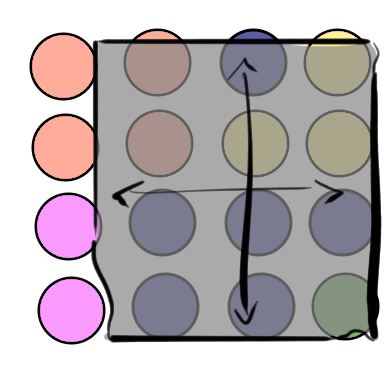
<p>There are some change patterns we use frequently, and a small sample of them are captured in my
cartoon above.</p>

<h1 id="a-few-ways-to-change-the-scenarios-and-stories">A few ways to change the scenarios and stories</h1>
<p>There are lots of ways testers change scenarios, use cases, and stories. The list that follows is not
an official collection, and it is by far not exhaustive. It is mostly constrained by how many
shapes and ideas I could reasonably fit in a 8.5x11 comic page. It is meant as an example of
ways of coming up with new ideas that might help. It is a hint, a nudge, for a person to come
up with even more.</p>

<p>In my cartoon, I used geometric shapes to symbolically represent the use cases, or data inputs.
I wanted to abstractly express the notion of some kind of example without having to
reference a specific kind of technology of application. This is because the examples I give
below of ways to change the information one is given are generic in the abstract. You can
apply these ideas to steps in a UI, input formation, database structures, environment configurations,
argument input values, or any number of things. The examples below are all about geometric objects,
but that is only because they are so familiar.</p>

<p>Going through some parts of the cartoon, here are how one might interpret each of
them.</p>

<h2 id="make-a-model-of-the-object-and-its-attributes">Make a model of the object and its attributes</h2>
<p><img src="/assets/invaluable_modelattributes.jpg" alt="Cartoon of modeling the attributes of some input object" /></p>

<p>I almost always make some model of what I have been given. What are its parts,
what relationships do those parts have to each other? What values can we ascribe to
those parts? Can values for those parts combine to make interesting test conditions?</p>

<p>Frequently we come up with test ideas immediately just by seeing an object modelled in a certain way.
Settings that change behavior, size, complexity, force relationships to change, define what
is and is not valid - lots of these sorts of ideas become more apparent when we model
the objects and entities in our user stories.</p>

<h2 id="model-the-relationships-between-objects">Model the relationships between objects</h2>
<p><img src="/assets/invaluable_modelrelationships.jpg" alt="Cartoon of modeling relationships of some input object" /></p>

<p>There is almost always some sort of relationship between use cases, scenarios, objects within the
scenarios. Some things relate to each other as classifications. Some things relate to each other in
time based sequences. Some things relate to each other as conditions affecting or causing other conditions.</p>

<p>Some types of objects, such as steps in a scenario, look like ordered linear relationships one at
a time, but when modelled together create graphs with branches, loops, recursion, and other complexities. Often
when we model such relationships we discover in the branches and conditions and loops, new steps and sequences
and test conditions emerge that were not represented one at a time. Other possibilities suggest themselves. What if a
relationship is broken, or violated? What if an implied step is skipped or a sequence aborted? What if an entire sequences
is repeated, or interrupted with some new step?</p>

<h2 id="do-it-over-and-over-again">Do it over and over again</h2>
<p><img src="/assets/invaluable_overandover.jpg" alt="Cartoon of repetition of some input object" /></p>

<p>A lot of bugs can be found by doing something multiple times. We have a tendency to imagine
our use cases as something which happens once and is done. There are a lot of bugs that show
up if something is executed twice. Strangely, there are other seemingly arbitrary, random numbers
of repetitions - such as being good at once, twice, and then for some unexpected reason you might
have a bug at four.
There are other classes of bugs that crop up doing something many times. A hundred, a thousand,
ten thousand. Sometimes very difficult in some apps (especially in UI), but frequently an API
is very easy to call a large number of times. This is often a good way to expose bugs not so much
tied to exactly how many times something happens, but rather something that doesn’t happen often
and repetition just increases the odds.</p>

<h2 id="change-some-attribute-of-the-object">Change some attribute of the object</h2>
<p><img src="/assets/invaluable_changingsomeattribute.jpg" alt="Cartoon of changing attribute of some input object" /></p>

<p>Once we have modelled something so that we understand its attributes, we can look at what happens
when those attributes are changed. In our cartoon, the example circle was blue, so what about
other colors? Are all colors equivalence class, or are some special? Maybe there is some other
attibute, like size, perimeter border thickness, opacity, perimeter border color, perimeter border pattern, fill pattern?</p>

<h2 id="mix-up-sequences-of-items-by-type-and-attributes">Mix up sequences of items by type and attributes</h2>
<p><img src="/assets/invaluable_mixedsequences.jpg" alt="Cartoon of mixing sequences" /></p>

<p>Another useful transformation is to mix things up. Different types of items, or same type of item but
mixing the attributes. Sometimes an input set with a lot of variation along certain attributes creates
problems when the inputs are more homogenous. Sometimes the nature of the mixture matters a lot. Maybe
performance is optimized when the sequences are very random, and maybe performance degrades sharply when
distribution is heavily skewed. Maybe inputs are assigned buffers of certain size, and certain combinations
of input sequences throw off the buffer allocations.</p>

<h2 id="change-the-nature-of-the-object-in-some-way">Change the nature of the object in some way</h2>
<p><img src="/assets/invaluable_samethingchangednature.jpg" alt="Cartoon of changing the nature of some input object" /></p>

<p>The example input you were given is a circle. A circle is a very specific class of an oval. What about
other oval shapes, and what about height versus width (or even rotational angle, not shown in the cartoon).
What about circles that overlap each other? There are any number of transformations we can imagine
of this sort.</p>

<h2 id="use-examples-other-than-what-you-were-told-as-input">Use examples other than what you were told as input</h2>
<p><img src="/assets/invaluable_valuesotherthanexample.jpg" alt="Cartoon of input values other than the examples given" /></p>

<p>There is a popular joke that starts, “A tester walks into a bar…”, and somewhere in the joke is the statement, “…and
orders an iguana.” Sometimes people look at examples of testing and laugh about what seems like a silly
idea. Except that there are numerous instances where the tester tries something silly, and finds a serious bug
doing it. In my cartoon, maybe I just wanted to draw a cow, but it serves as an example of trying an input
that is radically different from the examples. Then again, maybe “cow” makes perfect sense as input to an image
recognition system - it depends on what we are testing. To appease folks not so imaginative in their thinking, I
also put a hexagon in the cartoon, hoping they would see how “another kind of basic geometric shape” might be
closer to the examples while still looking for how the system handles something very different than given in the
use case example.</p>

<h1 id="be-more-than-a-parrot-and-make-something-new">Be more than a parrot and make something new</h1>
<p>The main point I want anybody starting in testing to understand how important it is to
immediately see beyond the requirements and user stories and scenarios that product managers and
developers craft together. Those were made to guide the creation of the product, and generally
a competent and responsible developer has already checked those requirements. When someone hands
off such cases to a tester and the tester repeats exactly those cases, we are treating
the tester like a very slow, someone hungry and tired robot. At some point, somebody is
going to decide to save money on the expensive salary and ask the developer to handle those tests -
and that developer is immediately going to automate it, because they don’t want to perform
those steps themselves.</p>

<p>This kind of displacement is bad, but not because a tester is out of work. Working that way is inefficient
and wise to optimize away. This kind of displacement is bad because very valuable and important
testing was missing in the first place.</p>

<p>The tester should change them to make a different, much larger, much more complex, much more likely to discover
and help you understand important bugs that represent risk to the customer, the product, and
the business.</p>]]></content><author><name></name></author><summary type="html"><![CDATA[You Need to Add Value to be Invaluable]]></summary></entry><entry><title type="html">Testing An Ai Driven Test</title><link href="/2024/12/03/Testing-an-AI-driven-test.html" rel="alternate" type="text/html" title="Testing An Ai Driven Test" /><published>2024-12-03T00:00:00+00:00</published><updated>2024-12-03T00:00:00+00:00</updated><id>/2024/12/03/Testing-an-AI-driven-test</id><content type="html" xml:base="/2024/12/03/Testing-an-AI-driven-test.html"><![CDATA[<h1 id="testing-an-ai-that-is-testing-an-app">Testing an AI that is testing an app</h1>
<p>AI testing bots have bugs and you need to test them. That
sounds daunting and strange and “who tests the tests that
tests the tests etc.” and turtles all the way down, but
it isn’t really as strange as all that. The AI is only
part of a larger system, and the problems are what you
would expect of almost any system with as many pieces
to it.</p>

<h1 id="some-bugs-and-investigations-that-came-up">Some bugs and investigations that came up</h1>
<ul>
  <li>Straying away from the target application</li>
</ul>

<p>We wanted the test agents to stay inside Word, PowerPoint,
Excel, InfoPath, and Publisher. There were configuration
settings that told the agent which process names to keep their
focus on.The agents needed to take some actions outside of the
target application to manage the environment space.</p>

<p>Sometimes the agents would do far more outside the target
application, opening other applications and windows and
tools that did not relate at all to the target application
nor to controlling the environment and configuration.</p>

<p>This behavior was not caused by the AI, as it came
entirely from the randomized monkey test behaviors of the
agent, but it did affect the AI training. All actions, and
the resulting UI state change were fed back to the service
and used during the backend training to predict
sequences that achieved various reward states. Imagine, then
the following sequence:</p>

<ol>
  <li>Word, click on ‘Insert’ tab</li>
  <li>Switch to Explorer</li>
  <li>In Explorer, open ‘Documents’ link</li>
  <li>Switch back to WOrd</li>
  <li>Select ‘Image’
    <blockquote>
      <p>Office.Graphics.Image.InsertImage event captured as reward from telemetry</p>
    </blockquote>
  </li>
</ol>

<p>The backend is going to see that sequence and weigh it with others
that preceded occurence of the Office.Graphics.Image.InsertImage reward
in order to predict sequences which lead to that event. Chances
are the specific switching out of app, into Explorer and the Documents directory,
and then back Word followed by ‘Insert Image’ will not happen
enough for the service to predict that doing it again will
cause the Office.Graphics.Image.InsertImage event to occur, but
it is still an event we don’t want in the session at all.</p>

<p>Testing for this behavior is mostly in the analysis. We didn’t
do anything more to control the run state than launch more runs. We were
able to query with Kusto (Azure Data Explorer) to see all the
actions that agents took during a run and which applications/processes
the actions were acting against. From that, we would track the
percentage of actions against the target application versus those
not. There were also a short list of applications the agents used
for controlling settings, and we considered switching in and out
of them acceptable. If we saw any application outside that list, we
were concerned, but only raised an issue if it got above a certain
threshold.</p>

<ul>
  <li>interacting with the test framework and shutting it off</li>
</ul>

<p>The test machines had a piece of I am going to refer to as “Test Framework Client”, or TFClient
for short. TFClient was responsible for launching test modules, monitoring their
execution, collecting results when done, but most importantly notifying the larger
test system if the machine was available, busy, whether the test was executing
or completed. When a test machine is done and results have been collected,
TFClient notifies tells the Test Framework controller that the machine is
ready to be returned to the pool of available machines. If the TFClient
ever aborts, this machine gets “stuck”, with the Test Framework controller
unable to send commands, check its status, and return it to the
pool. A on-call member of the automation system engineer team is notified
of stuck machines in the queue and has to manually release it and return
it to the pool.</p>

<p>TFClient presents a user interface that engineers use when
they connect to test machines so they can step through test
execution.</p>

<p>Sometimes the agents, when monitoring the list of running processes
would see TFClient in the list, switch focus to it, and start interacting
with its UI. Sometimes the test agent would kill the TFClient process.</p>

<h1 id="raw-notes-to-remove-later">Raw Notes to Remove later</h1>
<p>This is from my Simulated Self-Host testing. I am capturing ideas below that I can write up a better article from later.</p>

<p>Examples include:</p>
<ul>
  <li>testing the distribution of events and coverage</li>
  <li>reproducibility</li>
  <li>straying away from the target application</li>
  <li>interacting with the oasys client and shutting the machine off - the bug in simself was not seeing certain properties that allowed it to recognize an app on the exclusion list</li>
  <li>timing of actions and events that drift apart and confuse the AI training</li>
  <li>data inputs that are too random or variant or really not repeatable that the AI cannot effectively train from - e.g. files that happened to exist and randomly opened which are not there later on another machine</li>
  <li>not so much testing, but the difficulty we had giving the data scientist the information to build the Reinforcement Learning models they wanted</li>
  <li>testing whether or not simself was getting lost in the app - this relates to reproducibility</li>
</ul>

<p>Some themes:</p>
<ul>
  <li>lots of bugs are not in the AI but in the entire system working together</li>
  <li>AI can only make good predictions if the data offers enough information to base a decision on, if the data is insufficient or misleading the predictions will be bad</li>
  <li>sometimes testing means more analysis of data from something happening live than controlling the test conditions</li>
  <li>some things you really want to do require work or data or behavior that is very hard for you to do</li>
  <li>sometimes the conditions the AI driven behavior is working in is not amenable to doing the activity well - if difficult to do for non-AI will likewise be difficult for the AI</li>
</ul>]]></content><author><name></name></author><summary type="html"><![CDATA[Testing an AI that is testing an app AI testing bots have bugs and you need to test them. That sounds daunting and strange and “who tests the tests that tests the tests etc.” and turtles all the way down, but it isn’t really as strange as all that. The AI is only part of a larger system, and the problems are what you would expect of almost any system with as many pieces to it.]]></summary></entry><entry><title type="html">Maximize Testing By Changing The Development Schedule</title><link href="/2024/11/03/Maximize-testing-by-changing-the-development-schedule.html" rel="alternate" type="text/html" title="Maximize Testing By Changing The Development Schedule" /><published>2024-11-03T00:00:00+00:00</published><updated>2024-11-03T00:00:00+00:00</updated><id>/2024/11/03/Maximize-testing-by-changing-the-development-schedule</id><content type="html" xml:base="/2024/11/03/Maximize-testing-by-changing-the-development-schedule.html"><![CDATA[<h1 id="sometimes-testers-do-need-to-change-the-development-schedule">Sometimes testers do need to change the development schedule</h1>
<p><img src="/assets/breakapartdevschedule.png" alt="Two people looking at a Gantt chart with large coding and testing tasks considering breaking them apart" /></p>

<p>I am used to developers and testers mostly owning their own work without too
much mixing in between. Creating the product and testing the product are two
different activities, each owns the responsibility for their own work. I am not
opposed to people mixing up what they do, taking on a different role or responsibility
at some point in time, but the way I talk about it, I like to keep the ideas and
words distinct. Development is one thing, testing is another.</p>

<p>There are some blurry parts. Some of that blurring becomes more apparent when trying to
manage product delivery schedules that are quicker to respond to change.</p>

<p>An example of such blurring is the development schedule. On larger milestone
projects, developers typically entirely own the schedule of what they write and
when. Testing is typically entirely reactive to that schedule - adjusting to whatever the developer
does (whether by intent or accident). That clean line blurs more as maximizing
testing capability becomes more and more important to responsive product
delivery. The tester is at an advantage if they work together with the developer to plan and design
the development schedule.</p>

<h1 id="here-is-an-example-from-the-trenches">Here is an example from the trenches</h1>
<p>I am using an example which happened one time at work. I am going to replace
some details with generic concepts, but the ideas are still the same.</p>

<h2 id="how-the-work-was-going-to-be-done">How the work was going to be done…</h2>
<p>There was an upcoming feature which required an operation to cascade across several
services. Data important to the end user is stored in multiple repositories
behind multiple API endpoints. The entire use case was incomplete if it did not succeed
in all services, and was designed to stop if any of the services indicated failure
executing the operation. Further, end users had up to 60 days to contest and reverse
the action, but likewise the operation had to be verifiably complete by 60 days if
the end user ever requested.</p>

<p><img src="/assets/distributedoperation.png" alt="Diagram of a system that distributes a user request across several services." /></p>

<p>The general design was this:</p>
<ul>
  <li>each service implements the operation at their API endpoint and is responsible for
executing it in their respective repositories</li>
  <li>the request for the operation is stored inside a database with the date of request stamped
on the row</li>
  <li>an orchestration service looks in the database for any operations at the 60+ day threshold
and calls each service API in order, and updates status on the request in the database based
on it either being complete, or having hit a failure mid-point</li>
  <li>somewhere in the end user UI is the ability to invoke the operation, which stores the request
in the database as per above</li>
  <li>operations UI exposes the ability for the end user to revoke the operation should they request it</li>
</ul>

<p>The service was originally designed as multiple stories, with the user interface
implemeneted first along with the orchestration component, and then the service API endpoint
implementation following after. The idea was that end users could begin requesting the
operation, which would sit in the database ready to be executed 60 days later. Developer estimates
were such that completing the remaining endpoints would fit easily within the 60 day window.</p>

<p>Testing was assumed to work the way the team was used to. Each story would involve about 10 days or so of development
work, followed by a deployment to staging where testing would begin a pass. At the end of the
pass, testing would indicate if things looked good and everything would deploy.</p>

<h2 id="how-we-changed-the-schedule">How we changed the schedule</h2>
<p>I, and the other leaders on the team, have been working to break the team of these large coding and testing block schedules. This
is how we asked the developers and testers working together to change the plan.</p>
<ul>
  <li>Enable the UI last</li>
  <li>Break every component, the service endpoints and the orchestration, and the UI, into their own deployable change</li>
  <li>Implement the service endpoints and orchestration component in whatever order works</li>
  <li>Hide ability to request the the operation behind a feature flag, waiting for testing of the end to end integration to drive the decision to flip it</li>
</ul>

<p>The reason for the above change in plan:</p>

<ol>
  <li>it gets rid of the race against a 60 day clock</li>
</ol>

<p>Even though the development estimates fit easily in the 60 day window, we did
not want the team to panic anticipating the deadline. My experience is that
things go wrong often enough that estimates are untrustworthy. People
panic on a deadline and make poor decisions about what to change, fix, test,
skip, or ignore based the pressure of making a date instead of making the right decision for
the customer and the business.</p>

<ol>
  <li>every component goes in when the testing on that component feels right</li>
</ol>

<p>Each piece, the UI, orchestration, and every service endpoint, has some body
of testing to do against it. We can decide for each one what that is, and whether
we believe it needs more or less. The information we get about each one as we test
informs the decision about whether or not to deploy that piece.</p>

<ol>
  <li>we are looking at small bits of change instead of everything all at once</li>
</ol>

<p>When the changes are delivered in a big block, representing many days of development
work, the testing problem is far larger. The complexity of tracking down bugs, being
blocked behind issues in services, understanding what is happening, achieving coverage
is much more difficult, and much more expensive. Smaller components are much easier to
test and have a smaller risk surface than everything deployed all at once.</p>

<p>By deploying small changes, we also can monitor the production signal to look
for problems we might have missed with the change. This allows us to address the problems
in tandem with working on the changes that come after. It also sets more granular tracking
of when certain problems appeared, because we can order after which deployment we saw
something come up.</p>

<ol>
  <li>we ease the penalty of taking longer</li>
</ol>

<p>When a large story has been under development for multiple weeks already, almost always
taking longer than the original estimate, pressure starts to build to make a date. Testing
time is almost always compressed in this model because realistically you are probably looking
at the 3-4 weeks of total story time needing something like another week to account for extra
testing to deal with problems that accumulated in the development phase. It is very difficult to accept
a delay of that sort when the entire story has taken 3-4 weeks already.</p>

<p>By contrast, if something was estimated to take 1-2 days of dev/testing together, and coming into
day 2 it is clear testing and fixing is likely to take another 1-2 days, the usual response
is “do whatever it takes to get it right.” It is a strange psychology, because in the end
“do it right” likely adds up to the same amount of time overall, but people have an easier time
accepting, managing, and understanding that decision in small steps.</p>

<h1 id="think-about-this-problem-like-a-tester-and-a-developer-working-together">Think about this problem like a tester and a developer working together</h1>

<p>The more common and traditional approach to testing and development sees the two as very distinct
activities and very distinct roles. The developer doesn’t tell the tester how to test, and
the tester doesn’t tell the tester how to code. Creation and observation are two different
activities with two different skill sets which we often separate for very good reasons.</p>

<p>But sometimes it is better if you mix them up.</p>

<h2 id="maximize-observation-maximize-testing">Maximize observation, maximize testing</h2>
<p><img src="/assets/serverisonfire.png" alt="developer at desk when off panel voice says the server is on fire and developer thinking it is not if they do not look at it" /></p>

<p>Testers and developers have a shared goal to maximize testing opportunity and capability
as much as they can. For sake of argument, let’s keep building the product cleanly in
the developer’s responsibilities, and testing the product cleanly in the tester’s
responsibilities (for sake of argument only, in reality I advocate something much
more nuanced and complex). Even with such a distinct separation of responsibilities,
both parties have a critical interest in maximizing testing opportunity and
capability. The tester wants to provide the most useful and valuable testing they can
to the developer, and the developer wants the information from that testing to
guide them in fixing the product where they must.</p>

<p>Aw heck, let’s pull the product manager in as well. They want the same thing - they
want to make good decisions about what features are deploying when. They are frequently
involved heavily in schedule decisions, so they gain to benefit from maximizing
testing opportunity and capability.</p>

<p>Here are the guideline ideas covered in the story above:</p>

<ul>
  <li>break apart large changes into smaller components that can be tested and deployed independently
    <ul>
      <li>1-2 days of coding is usually easier to cover in testing</li>
      <li>5+ days is difficult to test quickly or reliably</li>
      <li>“ripple effect” changes are deceptive, small coding is not always small testing</li>
      <li>some changes are small enough risk to rely almost entirely on unit and contract tests</li>
      <li>1-2 days of testing for small components is probably comfortable</li>
      <li>5+ days of testing is a “smell” that suggests maybe the change under test is itself too large, or at least a sign that the risk needs to re-order to put it later</li>
    </ul>
  </li>
  <li>use deployment capabilities to mitigate risk
    <ul>
      <li>feature flags</li>
      <li>staged rollouts</li>
      <li>blue/green deployments, rollback</li>
      <li>monitoring and fast response to problems</li>
    </ul>
  </li>
  <li>have a plan for knowing if anything went wrong
    <ul>
      <li>create a monitoring story for every change</li>
      <li>for checking value of a change, create ways to measure engagement, change in behavior</li>
    </ul>
  </li>
  <li>order the schedule of deployment and capability enablement to defer risk later
    <ul>
      <li>integration is riskier, usually better done last</li>
      <li>UI is usually riskier because it exposes functionality end users</li>
    </ul>
  </li>
  <li>order the schedule to permit longer, deeper testing to accumulate across the smaller changes
    <ul>
      <li>end-to-end scenario tests usually take longer and tie everything together</li>
      <li>large data operations: migration, transformation, data flow through integrated systems</li>
      <li>load, reliability, performance, scalability - anything which requires hours of workloads and deep data analysis</li>
    </ul>
  </li>
  <li>remove artificial time limits and barriers and instead let natural decision making based on testing and information guide the “when”</li>
</ul>

<p>Following such guidelines, the developer needs to understand what the tester intends to do, and the
tester needs to understand what the developer intends to do. The two cannot work independently
to create the schedule above - there can be no “over the wall.” The tester can say “<em>if you do make this 5 day task into
two tasks deployed independently, then we can get each of them covered easily with their own testing, and then push the integration out to after that which can take a little bit longer</em>”,
and the developer might say back “<em>I believe I can make it even better if we split that 5 day task into three deployments, the
first of which I can probably cover entirely with unit and contract testing, and meanwhile you get the sytem testing
ready for the 2nd set of changes and forward…</em>”</p>]]></content><author><name></name></author><summary type="html"><![CDATA[Sometimes testers do need to change the development schedule]]></summary></entry><entry><title type="html">Digging Through Data Is Testing</title><link href="/2024/10/26/Digging-through-data-is-testing.html" rel="alternate" type="text/html" title="Digging Through Data Is Testing" /><published>2024-10-26T00:00:00+00:00</published><updated>2024-10-26T00:00:00+00:00</updated><id>/2024/10/26/Digging-through-data-is-testing</id><content type="html" xml:base="/2024/10/26/Digging-through-data-is-testing.html"><![CDATA[<h1 id="sometimes-you-test-without-executing-a-single-test">Sometimes you test without executing a single test</h1>

<p><img src="/assets/diggingthroughdataastesting.jpg" alt="A stick figure cartoon of a person contemplating log data with the word &quot;skip&quot; repeating and the person thing &quot;things seem a little too skippy&quot;" /></p>

<p>This week I decided to investigate the logs on one of our production systems. I
did not have an exact intent in mind. I wanted to see what kinds of things
I could learn from the logs. I am new to most of the technology we use
to build the services, so it was also a way for me to get more comfortable
with the infrastructure, tools, and entire tech stack.</p>

<h1 id="getting-at-the-data">Getting at the data</h1>

<p>The service runs on Google Cloud Platform. I used Log Explorer to look
at the production logs. I found one of the types of log entries I was able to
find were API calls to one of our backend services. I wondered if I could
use this query to build a model of end user behavior and then compare it
to our testing coverage.</p>

<p>The API is REST based, and the calls to this service take the following form
in the <code class="language-plaintext highlighter-rouge">jsonPayload.message</code> part of the log entry (I am obfuscating some details):</p>

<div class="language-plaintext highlighter-rouge"><div class="highlight"><pre class="highlight"><code>SECURED PATCH /v2/ourservicename/ABCD/command1
</code></pre></div></div>
<p>The  <code class="language-plaintext highlighter-rouge">command1</code> part at the end corresponds to whatever action is being taken,
while the <code class="language-plaintext highlighter-rouge">ABCD</code> is an identifier for the item being acted on by the API call. There
is also a time of the event in UTC form in the <code class="language-plaintext highlighter-rouge">resource.timestamp</code> field. I realized
I could build a lifetime of the item processing by splitting the URL apart, extracting
the identifier and command, and then sorting by identifier and timezone.</p>

<h1 id="crunching-and-reshaping-the-data">Crunching and reshaping the data</h1>

<p>I exported the logs to CSV format and opened it in Excel. I chose Insert/Table to make
things like referencing columns and autofill available (I almost always work from
tables in Excel). Now came some Excel formula writing.</p>

<blockquote>
  <p>Side comment on Excel: editing formulas is still tedious and awkward and error prone.
I like using Excel a great deal, but the formula editing experience for decades has been all
about trying to follow what one is typing into a tiny little window, attempting to reference
items by clicking on them even when the UI is covering those items with various hints, popups
and controls, and when slight little mistakes cause Excel to loudly and obtrusively take
focus away from what you are ever so delicately trying to do to give you a modal error pop-up
saying the formula has an error in it. For crying out loud, this app is over thirty years
old, is the best spreadsheet on the market, but it still has a dreadfull formula editing
experience.</p>
</blockquote>

<p>I extracted both the identifier and commands into their own columns by using <code class="language-plaintext highlighter-rouge">INDEX(TEXTSPLIT(...)).</code>
(<em>One of the greatest commands added to Excel not too long ago is <code class="language-plaintext highlighter-rouge">TEXTSPLIT</code>.</em>) I converted the <code class="language-plaintext highlighter-rouge">resources.timezone</code>
field into a date and time format that Excel could handle using another formula (the <code class="language-plaintext highlighter-rouge">T</code> in the middle of a UTC formatted
time doesn’t work for Excel). Next came one of my favorite features in Excel,
pivot tables.</p>

<p>Using pivot tables, I set up the row labels in this order: identifier, datetime, command. Excel automatically
splits a date formatted column into separate Year, Month, Day, Hour, Minute, Second fields. They Year column
was the same across all my data, so I removed it for readability. This resulted in a table
which looked similar to the following:</p>

<table>
  <thead>
    <tr>
      <th>Identifier</th>
      <th>Month</th>
      <th>Day</th>
      <th>Hour</th>
      <th>Minute</th>
      <th>Second</th>
      <th>Command</th>
    </tr>
  </thead>
  <tbody>
    <tr>
      <td>ABCD</td>
      <td>10</td>
      <td>23</td>
      <td>15</td>
      <td>37</td>
      <td>41</td>
      <td>command1</td>
    </tr>
    <tr>
      <td> </td>
      <td> </td>
      <td> </td>
      <td>15</td>
      <td>42</td>
      <td>13</td>
      <td>command2</td>
    </tr>
    <tr>
      <td> </td>
      <td>10</td>
      <td>24</td>
      <td>18</td>
      <td>12</td>
      <td>26</td>
      <td>command3</td>
    </tr>
    <tr>
      <td>EDJT</td>
      <td>09</td>
      <td>30</td>
      <td>16</td>
      <td>52</td>
      <td>19</td>
      <td>command4</td>
    </tr>
    <tr>
      <td>X1RF</td>
      <td>10</td>
      <td>12</td>
      <td>19</td>
      <td>18</td>
      <td>37</td>
      <td>command3</td>
    </tr>
    <tr>
      <td> </td>
      <td> </td>
      <td> </td>
      <td> </td>
      <td>18</td>
      <td>53</td>
      <td>command3</td>
    </tr>
    <tr>
      <td> </td>
      <td> </td>
      <td> </td>
      <td> </td>
      <td>19</td>
      <td>11</td>
      <td>command3</td>
    </tr>
    <tr>
      <td> </td>
      <td> </td>
      <td> </td>
      <td> </td>
      <td>19</td>
      <td>39</td>
      <td>command3</td>
    </tr>
    <tr>
      <td>M2UF</td>
      <td>10</td>
      <td>22</td>
      <td>17</td>
      <td>30</td>
      <td>09</td>
      <td>command5</td>
    </tr>
  </tbody>
</table>

<p>There were hundreds of rows such as above in the table. I noticed some patterns right away:</p>
<ul>
  <li>The logs afforded a 30 day window, so some start of sequence
actions on the identified items were in mid-lifespan, whatever previous action happened
prior to the log window.</li>
  <li>It was also clear that some actions would happen close together, within
seconds of each other, while others would take longer - maybe days between one step to the next.</li>
  <li>Some commands would repeat several times before moving to a different command.</li>
</ul>

<p>The end users of this system consist of two groups of people, customers of the service, and
sales operation staff who interact with the customer. Some of the actions in the system
indicate steps that require something happening in the real world that physically take time.
I was still getting familiar with which commands corresponded to which actions different end users might take,
so I wasn’t sure if these time gaps were expected or unusual, but it was interesting to see
the patterns.</p>

<h1 id="i-showed-the-data-to-my-testers">I showed the data to my testers.</h1>

<p>My testers hold a mid-day daily meeting for drop-in catch up, question asking, and information
sharing discussions. I dropped in and showed them the spreadsheet, explained how I got the data.
This was an enjoyable and enlightening discussion.</p>

<h2 id="some-of-the-actions-should-never-be-close-together-in-time">Some of the actions should never be close together in time.</h2>
<p>They represent something where an
operator takes an action in the UI, the end user has to do something in the real world, and
when they are done the operator takes the next action. Expected time between is more likely to be
hours, even a day or two. We were seeing entries between steps that were seconds.</p>

<p>The interpretation the testers took of such events were that it was very likely
there had been some state problems where the application was having trouble, and the operator
was trying to address it after the fact. The other idea was that maybe there was some kind
of delay between the UI where the operator performs the operation and the actual call to the
service API. In either case, they took it as an indication of some kind of problem state.</p>

<h2 id="repeated-actions-and-sequences-that-didnt-make-sense">Repeated actions and sequences that didn’t make sense</h2>
<p>Some of the commands should always go from something like <code class="language-plaintext highlighter-rouge">command3 -&gt; command4</code>. Instead, we
were seeing things like <code class="language-plaintext highlighter-rouge">command3 -&gt; command3</code>, or <code class="language-plaintext highlighter-rouge">command3 -&gt; command5</code>. Further, in some instances
a command would repeat more than one time - four or five times. In most of these cases, the
tester interpretation was that something was going wrong on the system preventing the expected
transition of state, and the operator was repeatedly trying the operation to make it work.</p>

<h2 id="repeated-actions-that-made-sense-after-we-thought-about-them">Repeated actions that made sense after we thought about them</h2>
<p>There was one command that corresponded to a <code class="language-plaintext highlighter-rouge">customer returns item</code> use case which would repeat,
and at first appearance that made no sense. How could a customer return the same thing twice?
But then one of the testers pointed out that the operators of the system use the same UI (and thus API) action for <code class="language-plaintext highlighter-rouge">customer returns item</code>
as they use for <code class="language-plaintext highlighter-rouge">customer swaps item for a different one</code>. The repeated of the action was indicative of
a return of the second item at some point after the swap.</p>

<p>My thought on this one was maybe we ought to talk to the product group about
treating swap and return as different events in the system. In the current state, we
could not, from the data, distinguish between repetition because of a problem, or
because of a normal use case.</p>

<h2 id="some-of-the-timing-of-events-seem-to-correspond-to-incidences-on-the-service">Some of the timing of events seem to correspond to incidences on the service</h2>
<p>The testers and developers keep a close eye on production incidents in anticipation of having to
fix and test something in response. We didn’t formally match each of these API calls to when the
incidents were reported, but there had been enough incidences about various operations not processing where
a developer had applied some mitigation and asked operators to try again to explain
some of what we were seeing in the log data.</p>

<h2 id="my-testers-clarified-for-me-which-commands-correspond-to-which-actions">My testers clarified for me which commands correspond to which actions</h2>
<p>Out of about seven or eight commands collected in my analysis, one of them corresponded to actions
a customer would do on their own, while all the rest represented actions a sales operator would
take in response to customer actions or while interacting with a customer. They also helped me understand
which actions make sense coming close together in time because a person is performing a sequence
of operations at a machine, and which make sense with larger time in between because the next
step is waiting for something to take place in the physical world.</p>

<h1 id="this-motivated-some-thoughts-about-our-testing">This motivated some thoughts about our testing</h1>
<p>The extraction exercise and observations from my testers gave me several ideas about testing and the product/service
quality.</p>

<ul>
  <li>A lot of the unexpected behavior seemed to be about people responding to data state, which suggests we ought to test more there</li>
  <li>Order of operations falls often outside the anticipated “happy path” scenarios, so we ought to exercise those paths more</li>
  <li>Extracting identifiers and other meaningful information from mid-URL is an awkward way to process data, see if we can add the information as specific fields on the log entry</li>
  <li>It may be worth building tools to store information longer the 30 day log window to permit longer trend analysis</li>
  <li>It may be worth investing in more visualizations and analysis tools</li>
  <li>It may be a good idea to correlate backend activity to incident reporting activity</li>
  <li>Excel is handy for off-the-cuff data analysis, but tedious if you expect to do something a lot, so maybe consider writing some code to do the same thing faster</li>
  <li>Some of the use cases are ambiguous in the API data (e.g. “swap” versus “return”) and might warrant some design changes</li>
</ul>

<h1 id="as-i-said-sometimes-testing-isnt-about-executing-tests">As I said, sometimes testing isn’t about executing tests</h1>
<p>Testing is the act of learning about a product via exploration and observation for the sake of understanding risk. We often
imagine that as a kind of experiment where the tester tries something, makes an observation, considers if anything they observed
seems wrong or unusual, repeats that across a set of things they want to try, and reports their findings in the end. We
usually think of each little experiment, what some call a test case, as the whole of testing.</p>

<p>Another way of testing is to explore information coming out of a system. You do not need to evoke action in the
system, or change a test condition. You can observe the behavior of the system and look for what actions
are already happening, what conditions already exist. This is a form of <a href="https://waynemroseberry.github.io/2023/05/14/Signals-based-software-testing.html">signals
based testing</a>, but without applying a workload to generate the signal. You may or may not discover bugs
in this process. You might only realize or understand a test condition, behavior, action, or coverage idea you had
not considered before. You might recognize risk that has not been investigated. Whatever you find, you
are still engaging in a productive form of testing when you go digging through the data.</p>]]></content><author><name></name></author><summary type="html"><![CDATA[Sometimes you test without executing a single test]]></summary></entry><entry><title type="html">Different Approaches To Test Cases</title><link href="/2024/08/31/Different-approaches-to-test-cases.html" rel="alternate" type="text/html" title="Different Approaches To Test Cases" /><published>2024-08-31T00:00:00+00:00</published><updated>2024-08-31T00:00:00+00:00</updated><id>/2024/08/31/Different-approaches-to-test-cases</id><content type="html" xml:base="/2024/08/31/Different-approaches-to-test-cases.html"><![CDATA[<h1 id="different-ways-of-representing-test-cases">Different ways of representing test cases</h1>
<p>=================================
<img src="/assets/waystodescribetestcases.png" alt="A cartoon figure contemplating two different ways of thinking about test cases" /></p>

<p>At some point testers need to write down what testing they intend to do, or account for what testing
they have done. The common convention to describe a specific performance of a test in terms of the conditions,
the steps taken, the checks performed, is with the term “test case.” There is a lot of historical
baggage around that term, especially with regard to formally scripted testing narratives, which
I believe gets in the way of understanding what a test case really is and what we mean when we use the term.
I cover my definition of test case in another article, <a href="https://waynemroseberry.github.io/2022/04/11/what-happens-in-the-case-when-you-are-testing.html">What happens in the case when you are testing</a>.</p>

<p>In this article, I describe different forms for describing test cases. I especially focus on how those
forms affect cost and efficiency, but also describe when they may or may not each be useful.</p>

<h1 id="the-ways-vary-largely-on-detail-and-cost-to-maintain">The ways vary largely on detail and cost to maintain</h1>
<p>The following list of different ways of representing test cases go from high detail/high cost to low detail/low cost.</p>
<ul>
  <li>Fully-described test cases in list form</li>
  <li>Titles only test cases with shared steps</li>
  <li>Grouped test cases with shared steps</li>
  <li>Grouped test cases with implied steps</li>
  <li>Test case ideas and themes</li>
</ul>

<p>Over the years, I progressed from high detail and high cost lists of test cases, 
steps fully described, to low detail and low cost groupings of test case ideas, 
relying on the knowledge and skill of the tester to understand the steps without me writing them down.
I also sometimes cover test case ideas and themes and know a lot of testers that
get a lot done with that low level of detail.</p>

<p>I describe here how I view these different representations. One may find a reason to prefer or
need each, although I have also found that sometimes people represent their test cases in
a way that is not suitable for the problem they are working on or situation they find themselves in.</p>

<h1 id="fully-described-test-cases-in-list-form">Fully-described test cases in list form.</h1>
<p>Test cases fully described in lists represent the most formal, detailed format for test cases. Every
single instance of something to test where conditions or inputs are different is
described as its own test case with its own steps. Steps are detailed, permitting little to
no variation.</p>

<p><strong>Title</strong>: Do thing to the stuff with value = “John Smith”</p>
<ol>
  <li>open app</li>
  <li>click on Page1 from top ribbon</li>
  <li>click “Add thing” button</li>
  <li>first name, enter “John”, last name, enter “Smith”</li>
  <li>click OK</li>
</ol>

<p><strong>EXPECTED</strong>
List of things has one new row with First Name == “John”, Last Name == “Smith”</p>

<p><strong>Title</strong>: Do thing to the stuff with blank last name</p>
<ol>
  <li>open app</li>
  <li>click on Page1 from top ribbon</li>
  <li>click “Add thing” button</li>
  <li>first name, enter “John”, last name leave blank</li>
  <li>click OK</li>
</ol>

<p><strong>EXPECTED</strong>
List of things has one new row with First Name == “John”, Last Name is blank</p>

<p>The usual goal for this approach is to have a set of instructions which may be followed
by someone (or something) that knows nothing of how the product works. The cases could be
given to anyone and that person would know how the case is executed. This approach is used
when cases are passed around a group of people who do not know the product well, when
some other entity has demanded such a format for review. Such test cases are almost always
stored in a formal test case management system of some sort as a separate entry per case.</p>

<p>This approach is difficult to maintain and tedious to review. It is difficult to
understand a larger context when reading the case details. It is difficult to visualize
what is changing from case to case. Small changes in the product behavior invalidate large
collections of steps, demanding suite maintenance over time to keep the cases relevant and
up to date. The approach sometimes has the effect of limiting the imagination of testers
who follow steps and procedures blindly without looking beyond the recorded actions and
expectations to explore new possibilities, record unanticipated problems.</p>

<p><strong>Reporting</strong></p>

<p>Reporting on such an approach tends to be tables of cases with pass and fail indicators next to them.
Overall report tends to be numbers and percentages of cases passed or failed.</p>

<h1 id="titles-only-test-cases-with-shared-steps">Titles only test cases with shared steps:</h1>
<p>Titles only test cases maintain the same one test case per variation pattern
as fully-described test cases, but the steps for the test cases are shared centrally
and authored in such a way that the steps adapt to the changes in test conditions and inputs.
Actual steps are stored in separate collateral from the test case itself.</p>

<p><strong>Title</strong>: Do thing with stuff with First Name = “John”, Last Name = “Smith”</p>
<ul>
  <li>see “Do thing to the stuff with different values” steps in test plan</li>
</ul>

<p><strong>Title</strong>: Do thing with stuff with First Name = “John”, Last Name = <blank></blank></p>
<ul>
  <li>see “Do thing to the stuff with different values” steps in test plan</li>
</ul>

<p>In test plan:
<strong>Title</strong>: Do thing to the stuff with different values</p>
<ol>
  <li>open app</li>
  <li>click on Page1 from top ribbon</li>
  <li>click “Add thing” button</li>
  <li>enter value for fields specified in case</li>
  <li>click OK</li>
</ol>

<p><strong>EXPECTED</strong>
List of things has one new row with columns corresponding to test case having matching values</p>

<p>The goal of this approach is to preserve the same degree of ability to have someone that does not
know the product execute the cases, as well as case by case accountability, but with reduced document
maintenance cost.  It means that along with cases stored in a case manager, the people running or reviewing the cases
will need access to the test plan document somewhere.</p>

<p>There is still a high cost of case creation and maintenance for the planning documentation, and even the
test cases themselves. Each case needs entry in the case management system, even if full step articulation has been
removed. The original steps need to be written, and need to be changed as the product changes.</p>

<p>Reviewing testing ideas and cases with shared steps is far easier than fully-described lists.
The reason is because the steps are typically shared across test problems with lots of similarity,
designed to explore behavior and risk around specific types of problems. This kind of grouping helps people
understand the test approach better. Rather than looking at hundreds or thousands of cases one at a time, they can focus
on the purpose and strategy behind those cases, why they exist.</p>

<p>Sometimes this approach is used in conjunction with less expensive approaches when the test procedure steps are not obvious,
or must be exceptionally precise. That sometimes happens when a test problem is very difficult to understand, even for
an expert.</p>

<p><strong>Reporting</strong></p>

<p>Reporting for titles-only test cases is usually identical for fully-described test cases.</p>

<h1 id="grouped-test-cases-with-shared-steps">Grouped test cases with shared steps</h1>
<p>Grouped test cases make one entry in whatever list or case management system for many cases at once, and refer
back to a test plan for a description of how to expand the group into individual cases. The expansion of entry
to cases could be 10x, 100x, 1000x or more.</p>

<p><strong>Title</strong>: Do things with stuff and different input values
see “Do things to the stuff with different values” in test plan for full set of cases.</p>

<p>In test plan:
<strong>Title</strong>: Do thing to the stuff with different values</p>
<ol>
  <li>open app</li>
  <li>click on Page1 from top ribbon</li>
  <li>click “Add thing” button</li>
  <li>enter value for fields specified in case</li>
  <li>click OK</li>
</ol>

<p><strong>EXPECTED</strong>
List of things has one new row with columns corresponding to test case having matching values</p>

<p><strong>Cases</strong>:
First Name, Last Name over values of [“user1”, empty, “ “ <space>, "1234"] each</space></p>

<p>The goal of grouped cases is to preserve the recording of steps for re-use while reducing the cost of authoring and
maintenance of the test cases. There is still an authoring and maintenance cost for the original test plan to capture
steps and keep them current. This approach sacrifices per test case accountability in test case tracking reports
for sake of cost and speed.</p>

<p>All other aspects of grouped test cases are similar to regular test cases with shared steps. Similar advantages, with the difference
being a reduction in the number of cases actually entered into tracking mechanisms. A lot of testers and test teams find
grouped test cases a comfortable compromise even when they prefer having steps fully articulated.</p>

<p><strong>Reporting</strong></p>

<p>Reporting for grouped test cases will typically drop the pass and fail considerations, as the group hides the
per case details. Instead, coverage is described based on the topic the group suggests, with indications of whether
the group is covered yet and whether problems were found covering that group. It is usually easier to understand coverage with grouped
cases.</p>

<h1 id="grouped-test-cases-with-implied-steps">Grouped test cases with implied steps</h1>

<p>Many testers drop steps from their description of test cases, relying on the person performing the test
(who is usually the same person as the author) to learn and know the product. The purpose of the group is described
in the test plan with enough information to visualize what the test would be. The cases are described in a way that
is short and fast to read and easy to visualize the expansion. If a tracking system is used, the group name is usually
the title of the test case entry.</p>

<p><strong>Title</strong>: Do things to the stuff with different values
Apply the following set of input values to adding a new thing to the stuff list, and check if the list view shows the new item with the values specified.</p>

<p><strong>Cases</strong>:
First Name, Last Name over values of [“user1”, empty, “ “ <space>, "1234"] each</space></p>

<p>Grouping cases with implied steps offers much faster time to creating the testing collateral and describing the test
methodology. Time that would have been spent on rote recording of steps is all transferred to thinking, analysis, and
creativity. Maintenance costs are reduced sharply to a minimum such that change is only needed if the fundamental
problem changes or if critical aspects of how things are done, checked, or analyzed must change. The approach relies on the
tester deeply understanding the product they are testing, which can be utilized as a way of further reducing maintenance costs,
assuming the tester will “keep up” with current status. Many testers find the balance of speed, reduced cost, and recording thoughts
sufficient to describe a plan suitable for covering their features.</p>

<p>Implied steps in test cases does mean tradeoff to testers unfamiliar with the feature is not
going to work without additional support in the form of training, guiding materials, or longer
onboarding time for the new testers to learn the feature. It adapts poorly in “handoff the testing” situations,
particularly outsourcing to vendors outside the team. It is also the case that vendors who want to
provide concrete evidence for time spent working on test suites, running passes, will prefer fully articulated
suites of test cases to directly reflect billable activity.</p>

<p><strong>Reporting</strong></p>

<p>Reporting on grouped cases with implied steps is similar to reporting on grouped cases in general.</p>

<h1 id="test-case-ideas-and-themes">Test case ideas and themes</h1>
<p>An even lower level of granularity describes testing by ideas and themes for exploration rather than articulating exact cases.
Some set of aspects of the product or system will be modelled in relationship to test conditions, problems, or risk areas.
Such ways of modelling the test ideas provides more of a broad coverage map, and requires more work and imagination, and frequently
exploration, to express the combination of ideas as individual cases. The specific test cases may not have even been imagined yet in this approach,
they are sometimes emergent from exploration during testing.</p>

<p><strong>Title</strong>: Different values for thing across input spaces
Explore affect of different data across the following features allow user to view or edit Thing in some way</p>
<ul>
  <li>new thing control</li>
  <li>stuff list</li>
  <li>select thing action menu</li>
  <li>display thing on notifications</li>
  <li>assign thing control</li>
</ul>

<p><strong>Cases</strong>:
Each of the fields on the Thing class across values for inputs reflecting valid, special characters, double byte, international character sets, HTML characters, SQL injection possibilities, invalid inputs</p>

<p>This approach is popular among testers who lean heavily on non-scripted exploration of the product. Maintenance cost
of the test plan is probably lowest possible of all the approaches. Planning time is dedicated to imagining what
types of problems the tester is interested in relative to which aspects of the product or system. Specific test conditions
or inputs are frequently described somewhere in supporting material - usually lists, data sets and such - but the
tester also frequently modifies test conditions during execution, something testers exploit to enrich coverag
and discover behaviors unanticipated during coding, design, and planning.</p>

<p>This approach adapts well even if the tester is new to a product. They may have enough knowlege to craft the
analysis above, but they may not necessarily know how every aspect of the product works, they just know the ideas they
waynt to explore. Because of this, the approach relies heavily on the ability of the tester to create, adapt, improvise,
analyze, and explore a system, reporting problems found, even when they are new to and unfamiliar with that system. Sometimes the
output of a “completely new, know nothing…” testing survey session is a plan describing test case ideas and themes.</p>

<p>This approach works equally well when the tester has deep famiarity and expertise with the system. They can rely on what they
know already to fill in the details for the broad strokes describing the domain the cases will cover.</p>

<p>This approach is poorly suited for handoff to any group of testers that do not demonstrate strong exploratory approaches.
When working with vendors, check their technique and approach. If they describe their coverage in terms of ensuring or verifying
requirements are met, then this approach is not going to work for them.</p>

<p><strong>Reporting</strong></p>

<p>Reporting for test case ideas and themes is similar as to grouped cases, although there is a tendency for
even more clustering and abstract summarizing. The reporting tends to be simpler to read, shorter. There are fewer
numbers and more “temperature map” type results, showing which areas of exploration are done, which in progress, which
not done at all, and where the problems came up. It tends to be easier to describe big picture with test case ideas and themes.</p>

<h1 id="conclusion-i-guess">Conclusion, I guess…</h1>
<p>The key takeaway I want for anybody is to recognize that when we describe test cases we are
trying to solve a problem. We are not trying to adhere to a ritualized set of rules or
standards for how to record our activities. We should take cost, effort, value, usefulness of
what we do and how we do it into account. All of the ways of approaching test case description in this
article are useful in some way, but they also all have times when they will not fit the situation well.
The most common tradeoff involves time, cost, and expertise required in the approach.</p>

<p>And I guess I cannot say that much without saying the above is not a religious canon. If you find or invent a way of describing
your testing, cases or whatever, and if it works for your situation then use it.</p>]]></content><author><name></name></author><summary type="html"><![CDATA[Different ways of representing test cases =================================]]></summary></entry><entry><title type="html">Following Cases From A Model Even When You Are Blocked</title><link href="/2024/04/17/Following-cases-from-a-model-even-when-you-are-blocked.html" rel="alternate" type="text/html" title="Following Cases From A Model Even When You Are Blocked" /><published>2024-04-17T00:00:00+00:00</published><updated>2024-04-17T00:00:00+00:00</updated><id>/2024/04/17/Following-cases-from-a-model-even-when-you-are-blocked</id><content type="html" xml:base="/2024/04/17/Following-cases-from-a-model-even-when-you-are-blocked.html"><![CDATA[<h1 id="sometimes-you-have-to-change-the-plan">Sometimes You Have to Change the Plan</h1>

<p><img src="/assets/perhapschangetheplan.png" alt="A stick figure cartoon of a someone contemplating a collapsed rope bridge thinking about changing their plan" /></p>

<p>Sometimes we use tools that make test cases for us. Often they help us work out complicated
or tedious or lengthy concepts in a simpler way, and from that help us build a set
of tests to execute. Sometimes they even help make the test case steps for us.</p>

<p>This forces us into considering our paths carefully. On the one hand, the tools did
help us come up with combinations of ideas, inputs, actions, and sequences that we
might not have thought of before, might not have stumbled on during our exploration.
On the other hand, following steps in rote fashion can narrow our exploration, or
push us toward repitition that leads to no new discoveries. If we are cavalier about
dismissing the step creation the tool affords us we might skip something important.
If we rigidly follow the steps, we might miss something or waste time with
our myopic focus.</p>

<blockquote>
  <p>Even if you are using a formal, scripted test case step method, you should be prepared
to tactically and strategically make adjustments to your testing and steps. It is common
that testing may be impeded, blocked, expose new ideas, or demand you look
beyond the simple rote requirements to notice and discover more.</p>
</blockquote>

<h1 id="the-application-under-test">The Application Under Test</h1>
<p>In this article, I describe a testing session with Test Case Studio, a test step
recording tool. I used the Edge extension version of it. It is a handy way to capture test cases live, and to provide an accounting
of what you did during testing. I decided to test the test tool by building a suite
of tests targeting my own sample web app, and using <a href="https://www.compass-testservices.com/">Test Compass</a> to construct
a suite of test cases built by an all edges traversal of my sample web application.</p>

<p>I am not an employee of the Test Case Studio team. I was not asked by them
to write this article. As of the time of this writing I have sent them a copy 
of my test report describing the activities below, but otherwise have
had no other interactions.</p>

<p>In general I found Test Case Studio functionality useful. As you see below there
were issues that came up during my testing, but the general value of being able
to record a series of steps, capture CSS selector and XPath information as you
go can be very helpful.</p>

<h1 id="test-suite-creation-from-a-model">Test Suite Creation from a Model</h1>
<p>Many testing tools allow us to create large lists of possible test ideas
through simple description of a test problem, and then give us strategies for reducing
the test cases down to meaningful sets.</p>

<p>Test Compass let’s us build state diagrams (although sometimes it feels to
me more like a flow chart of decision models), and then use graph traversal
strategies to derive cases from the different paths through the graph. Below is one
such model for my DataMaker sample web application:</p>

<p><img src="/assets/testcasestudiorecordings/DataMaker%20Edit_Save%20sequence%20two%20times%20depth.png" alt="Model showing navigation through the edit page and back of my sample web application" /></p>

<p>A full traversal of this model generates thousands of test cases, many of which 
likely test the same thing. Test Compass offers multiple strategies for test case creation.</p>

<ul>
  <li><strong>All Nodes</strong>: create enough cases to hit every node in the graph</li>
  <li><strong>All Edges</strong>: cover every edge in the graph, which corresponds to hitting every decision branch</li>
  <li><strong>All multiple edges</strong>: Cover every combination of edges at least once</li>
  <li><strong>All paths</strong>: cover every possible sequence through the graph</li>
</ul>

<p>I describe the model and the different strategies in-depth in <a href="https://www.youtube.com/watch?v=eIGOG7aAqr4">another
video</a> on my <a href="https://www.youtube.com/@SoftwareTesting-bv6di">YouTube channel “Software Testing”.</a> With
this specific model, an “All Nodes” traversal produced only 2 test cases, whereas “All Edges” produced 8, and “Multiple Edges” produced</p>
<ol>
  <li>I used “All Nodes” in this article.</li>
</ol>

<h1 id="the-sample-web-page">The Sample Web Page</h1>
<p>My sample web site, <a href="https://datamakerjs-f3b6b7d13de0.herokuapp.com/">DataMaker</a>, offers a simple UI for editing data schemas and
generating random data derived from those schema. It is backed by a REST API. There are two
pages in the version of the app I used for the test. The first page allows the user to look at
schema and ask for random samples. The second page allows the user to edit schema definitions and
save them to the data store.</p>

<p>Elements in the first page are dynamic, using JavaScript to update selected schema definition views
by calling into the REST API, and then drawing a diagram of the scehma on the web page. The
page is simple, but has enough behavior both static and dynamic to make for an interesting
recording in Test Case Studio.</p>

<h1 id="testing-methodology">Testing Methodology</h1>
<p>The methodology was to repeat the following for each of the test cases in the suite. The example steps
in the table below are taken from the first test case in the suite, steps varied per case on either
the exact step action or the “YES” and “NO” modifiers.</p>
<ol>
  <li>Start Test Case Studio</li>
  <li>Switch to Microsoft Edge</li>
  <li>In a new tab, open DataMaker (datamakerjs-f3b6b7d13de0.herokuapp.com)</li>
  <li>Execute the steps in the table below (see “Step” and “Description” columns)</li>
  <li>Examine recorded steps in Test Case Studio for issues and problems. (save test case studio recorded cases when done)</li>
</ol>

<table>
  <thead>
    <tr>
      <th>Step</th>
      <th>Description</th>
    </tr>
  </thead>
  <tbody>
    <tr>
      <td>1</td>
      <td>Change Namespace (YES)</td>
    </tr>
    <tr>
      <td>2</td>
      <td>Change Schema (NO)</td>
    </tr>
    <tr>
      <td>3</td>
      <td>Change Number (NO)</td>
    </tr>
    <tr>
      <td>4</td>
      <td>Edit(YES)</td>
    </tr>
    <tr>
      <td>5</td>
      <td>Modify(YES)</td>
    </tr>
    <tr>
      <td>6</td>
      <td>Save(YES)</td>
    </tr>
    <tr>
      <td>7</td>
      <td>Back(YES)</td>
    </tr>
    <tr>
      <td>8</td>
      <td>Change Namespace(YES)</td>
    </tr>
    <tr>
      <td>9</td>
      <td>Change Schema(YES)</td>
    </tr>
    <tr>
      <td>10</td>
      <td>Change Number(Yes)</td>
    </tr>
    <tr>
      <td>11</td>
      <td>Edit(NO)</td>
    </tr>
  </tbody>
</table>

<p>A full list of all the test cases is located in the following spreadsheet: <a href="/assets/DataMaker_Edit_Save_sequence_two_times_depth_Edge_Coverage.xlsx">Data maker test suite</a>.</p>

<h1 id="testing---what-really-happened-and-results">Testing - what really happened and results</h1>
<p>A Word Docx format of the report can be <a href="/assets/Test%20Case%20Studio%20simple%20web%20page%20coverage%20report.docx">found here.</a></p>

<p>I mostly executed the suite rote as described in the methodology section above. There were only 8 cases. Execution took less
than an hour. But I was unable to follow the cases exactly as recorded because a bug in Test Case Studio prevented me from
doing so. I was forced into modifying my steps to try to avoid a crash.</p>

<p>Maybe this is easier if I describe the results:</p>

<h2 id="test-case-studio-crashed-coming-back-from-the-edit-page-if-i-changed-select-element-selection">Test Case Studio crashed coming back from the Edit page if I changed SELECT element selection</h2>
<p>The simple sequence would be:</p>
<ol>
  <li>do anyting on the main page</li>
  <li>click the “Edit” button</li>
  <li>do anything on the Edit page</li>
  <li>click the “Back” button</li>
  <li>select a different item from either the “Namespace” or “Schema Definition” dropdowns</li>
</ol>

<p>This would lock up the browser, and then most of the time would crash the browser session entirely.
Further testing showed that the browser would not (always) crash if I was using ALT+TAB to
check my steps in Excel. I used this mitigation to try to continue coverage, but I found even
that approach unreliable. I also started doing more clicking inside the web page after coming
back from ALT+TAB in Excel, hoping that either the increased interaction or maybe just timing
would stabilize Test Case Studio. I had already captured the repro case on the crash, and wanted
to get past it for the additional coverage. My attempts at mitigation were ineffective and I
decided not to spend any more time on it, so I marked as blocked all test cases where
a “BACK” step was followed by change to either of the SELECT elements.</p>

<blockquote>
  <p>Failures can sometimes be bad enough that further testing is blocked. It is worth looking
for a workaround, but at some point it may not be worth the effort, or the nature of the
workaround alters the test state too much. It is a careful judgement call whether to keep
trying, or to report the issue and move on.</p>
</blockquote>

<h2 id="used-the-content-of-select-element-and-numeric-spinner-elements-as-the-name-of-the-element">Used the content of SELECT element and NUMERIC spinner elements as the name of the element</h2>
<p>When Test Case Studio recorded an action on either a SELECT or NUMERIC input control, it
would put the content of the control as the title of the element in the step instead of
something more reliable, such as it’s ID. For example, on the numeric control in my web
page, Test Case Studio would display <strong>“Enter ‘4’ into ‘5’“</strong> even though the ID of the control
was <code class="language-plaintext highlighter-rouge">#numberofexamples</code>.</p>

<p>An important part about this particular issue is that this behavior is possibly
intentional. Whether or not it is a bug is a matter of opinion on my part. I find it confusing.
If I were following steps blindly, I would have had this behavior handed to me “Make sure the
steps says…<thing>" and I probably wouldn't record this bug at all. I am intentionally being
non-rigid about expectations because I want to force myself out of test case rote
execution myopia. I want things to look weird to me even if they might have been intentional.</thing></p>

<blockquote>
  <p>Give yourself lots of room for noticing something that does not look correct. If you have
documented expectations, use them, but intentionally force yourself to look at
other behavior and ask yourself questions such as “How would the affect the user?” Some
written requirements feel very different when you see them in action.</p>
</blockquote>

<h2 id="back-button-was-not-consistently-recorded">“Back” button was not consistently recorded</h2>
<p>In all of the instances recordedin the session for this article, Test Case Studio would not
record clicking the “BACK” button. For example, in this sequences from the Methodology example
above, step 7 has the user click the “BACK” button:
Step | Description
—|—
1|Change Namespace (YES)
2|Change Schema (NO)
3|Change Number (NO)
4| Edit(YES)
5| Modify(YES)
6|Save(YES)
7|Back(YES)
8|Change Namespace(YES)</p>

<p>The recorded steps by Test Case Studio omitted that step, which should have come immediately after “Click on ‘Save’” below:</p>
<div class="language-plaintext highlighter-rouge"><div class="highlight"><pre class="highlight"><code>Open website
Click on "schemaexamplesbaseobjecttypesnetworktypes"
select "baseobjecttypes" from "schemaexamplesbaseobjecttypesnetworktypes"
Click on "htmlElement"
Click on "Edit"
Click on "schemadefjson"
Enter "{ "SchemaName": "alphalowwer"
Click on "Save"
Click on "htmlElement"
Click on "schemaexamplesbaseobjecttypesnetworktypes"
</code></pre></div></div>

<p>I don’t know if the “BACK” button is supposed to be recorded or not, but from
the perspective of being able to describe what I did, the steps recorded above are nonsense. The last
“Click on ‘schemaexamplesbaseobjecttypesnetworktypes’” is not possible if the
user did not click on “BACK” just after “SAVE”. I am working on an implicit expectation, that
being that whatever Test Case Studio records could be followed by someone later and
get the same result. Perhaps this could be expressed as a formal expectation, but
I am also treating this as more of an exploratory expression on the rote execution.</p>

<blockquote>
  <p>Implicit expectations, or expectations that cut across all usage of a feature can
be a powerful tool in your set of oracles and heuristics. Some of these are very general, and
you have to use your imagination to realize how they apply in that specific situation.</p>
</blockquote>

<h2 id="the-names-of-the-select-items-kept-growing">The names of the select items kept growing</h2>
<p>It took me a while to notice this, because I didn’t find the resize column control in Test Case Studio
until later. The names of the select items kept getting longer as my testing went longer. In the first test case,
the name that Test Case Studio ascribed to the schema definition control was short:
<code class="language-plaintext highlighter-rouge">Click on "schemaexamplesbaseobjecttypesnetworktypes"</code>
By the second test case, it had grown longer
<code class="language-plaintext highlighter-rouge">Click on "defaultschemadefaultchoiceschemaexamplereferenceschemaexamplesequenceschemaexamplerangealphaschemaex"</code></p>

<p>I did not explore this behavior in-depth. I don’t know if it keeps appending the name it generated onto the last name
it has for the control, or what. I am also not sure if stopping/starting Test Case Studio affects this behavior. I
suspect it might have to do with me running a case for a while, saving the session, telling test case studio to
delete the steps and then I would start over with another case.</p>

<p>This one is odd, because it is very possible that the test cases are affecting each other. Would this happen were
the exact same test cases run on entirely different machines, perhaps automated, or each case given to
a different tester? It is quite possible that none of these cases on their own would find this bug.</p>

<blockquote>
  <p>Tests can sometimes affect each other, and sometimes that is a useful side effect for noticing problems
you would not notice where the tests cleanly isolated. Believe it or not, there is sometimes
a benefit to a sloppy workbench.</p>
</blockquote>

<h2 id="ambiguous-name-click-on-edit-assigned-to-click-on-multiple-items">Ambiguous name “Click on ‘Edit’” assigned to click on multiple items</h2>
<p>This came from me trying to stabilize the browser crashes. I would ALT+TAB to Excel, ALT+TAB  back
to DataMaker, and then I would click somewhere on the page. I didn’t really know if that would change
anything with regard to the crash, but I wanted to get through the case somehow.</p>

<p>The point is, much like a physics experiment, I was altering the test conditions. Test Case Studio was
recording those extra clicks, as it should have, and that led me to discover a bug I was not at
all looking for and which the tests were not at all meant to expose.</p>

<p>The tests were built from a model that was only concerned with the interactive controls on the page.
The white space and surrounding HTML doesn’t do anything within the app under test, so I did not
mention them in the model.</p>

<p>At one point, I clicked inside large whitespace in the table cell surrounding the “Edit” button.
Test Case Studio recorded that as <code class="language-plaintext highlighter-rouge">Click on "Edit"</code>, the same way it described clicking on the edit
button itself. The XPath and CSS selectors were different (that is what drew my attention), but
still, the name of that step was strange. It didn’t seem a good choice for clicking in the space
surrounding that button. This is a matter of opinion - I am not sure what Test Case Studio ought to
call the step, but I don’t like the ambiguity on the step name.</p>

<blockquote>
  <p>Do not be afraid to deviate from your steps. There is proably more value in trying something
different than there is in strict adherence to the steps. You tend to see something nobody
would have noticed when you change the steps up a bit.</p>
</blockquote>

<h2 id="sometimes-the-number-control-value-change-was-capture-as-a-double-click">Sometimes the number control value change was capture as a double click</h2>
<p>I chose to elaborate on the steps as described and change up the ways I was changing the
numeric control. All the steps from the model say is <code class="language-plaintext highlighter-rouge">Change Number(YES)</code>, without indicating
what to change the number to or whether to use the spinner or type in a number. I decided to
do a bit of both.</p>

<p>I found that if I used the spinner to do more than a +1/-1 that sometimes Test Case Studio
would record <code class="language-plaintext highlighter-rouge">Double-click on "5"</code> instead of <code class="language-plaintext highlighter-rouge">Enter "5" into "5"</code>. For a while I thought this
was happening when I would cross over the original value while incrementing or decrementing
the control value, but I also saw it for setting other numbers. I tried to keep my click speeds
slow to make sure I was not doing actual double-clicks, but Test Case Studio still captured
it as a double click.</p>

<blockquote>
  <p>Testing steps are sometimes ambiguous. You could formally lock them down in the step
instructions, although it is sometimes more useful and more efficient to execute the
steps with variation. Use the ambiguity to your testing advantage. Doing exactly the same
thing every time you test is sometimes a symptom of growing numb and blinding yourself
to what is happening.</p>
</blockquote>

<h1 id="wrapping-up-this-story">Wrapping up this story</h1>
<p>I did not plan for this article to be about adapting rote test case execution
and changing the steps as you go, and now that I think about it I realize
I am doing the same thing here. Especially in testing, where some of the most important
insights we can offer the team are about something we nearly missed, being able to
adapt and change in response to conditions and our instincts is often the crucial
factor that makes the difference between spotting a really bad problem everyone
else missed, or letting something dreadful cruise by unnoticed.</p>]]></content><author><name></name></author><summary type="html"><![CDATA[Sometimes You Have to Change the Plan]]></summary></entry><entry><title type="html">Think Like A Tester And Go Beyond The Code</title><link href="/2024/04/05/Think-like-a-tester-and-go-beyond-the-code.html" rel="alternate" type="text/html" title="Think Like A Tester And Go Beyond The Code" /><published>2024-04-05T00:00:00+00:00</published><updated>2024-04-05T00:00:00+00:00</updated><id>/2024/04/05/Think-like-a-tester-and-go-beyond-the-code</id><content type="html" xml:base="/2024/04/05/Think-like-a-tester-and-go-beyond-the-code.html"><![CDATA[<h1 id="look-beyond-the-code-for-the-bugs">Look beyond the code for the bugs</h1>
<p><img src="/assets/lookaroundforbugs.png" alt="A stick figure cartoon depicting a developer staring at their code for bugs while a giant cockroach is standing behind them" /></p>

<p>I found a bug in a project of mine that had been there for a while,
but I only discovered it when I added some UI around an API
call I hadn’t exposed yet. That made certain tests easier to
do, which led me to trying some ideas I hadn’t  when I was
thinking of the testing problem in isolation.</p>

<h1 id="a-data-generation-tool-and-adding-new-data-schemas">A data generation tool, and adding new data schemas</h1>
<p>The tool is called “Datamaker”, and it generates random
data examples based on schema definitions. There is a REST API
which allows CRUD operations on schema definitions. I also created
a simple UI for the viewing randomly generated example data.</p>

<p>I updated the UI to allow editing of the example schema. I did
this because an acquaintance of mine wanted to practice API
testing, and I wanted to make it easier for them to see the
editing in action with a UI example.</p>

<p><img src="/assets/datamaker_neweditbutton.png" alt="screenshot of datamaker page with new &quot;Edit&quot; button circled" /></p>

<p>The website has several example data schemas already there. I
had created them with the REST API. It stores them in a database
on the back end (<em>“database” is not true - the current implementation
stores them in a json file that is re-written every time a schema
definition is changed or added</em>).</p>

<p><img src="/assets/datamaker_editschemaUI.png" alt="screenshot of datamaker page with new &quot;Edit&quot; button circled" /></p>

<p>The new editing page is a text area with a “Save” button on it. The
schema is presented as Json. It is primitive, and requires the user
know the correct json to describe the schema. This is aided somewhat
by letting the user pick example schema items and edit them. So long
as they keep the data in the same format it should work.</p>

<p>Right?</p>

<blockquote>
  <p>Foreshadowing. Any story that sets up a presumption of absolute certainty
is going to prove that assumption wrong. The same goes for testing.</p>
</blockquote>

<h1 id="simple-end-to-end-test-cases-are-really-good-ways-to-find-coding-mistakes">Simple end to end test cases are really good ways to find coding mistakes</h1>
<p>The first test case I tried was as follows:</p>
<ol>
  <li>open the datamaker website home page</li>
  <li>select “Edit” on the default schema item</li>
  <li>click “Save” on the unchanged schema</li>
  <li>click the “Back” arrow to see the opening screen, refresh, view the list of available schema definitions</li>
</ol>

<p>That did not seem to present any problems that I could see in the UI. My expectation
was that nothing should change. Time for the next test.</p>
<ol>
  <li>start from the datamaker website home page</li>
  <li>select “Edit” on the default schema item</li>
  <li>change the “SchemaName” value to something else, “defaultschema2”</li>
  <li>click “Save” on the unchanged schema</li>
  <li>click the “Back” arrow to see the opening screen, refresh, view the list of available schema definitions</li>
</ol>

<p>I expected to see “defaultschema2” added to the list of available schema definitions. It was not.
My UI is incomplete, slapped together quickly, and it doesn’t present any status on
the save, so there was no error in the UI indicating any problem. I had to debug.</p>

<blockquote>
  <p>Sometimes very easy tests that tie together multiple pieces are highly
effective in catching us where other testing does not.</p>
</blockquote>

<h2 id="testing-the-failure">Testing the failure</h2>
<p>I set a breakpoint in the backend code that processes the POST request
for the schema definition creation. Stepping through, it hits this code
inside a switch statement:</p>

<div class="language-plaintext highlighter-rouge"><div class="highlight"><pre class="highlight"><code>default:
{
    throw `invalid SchemaObjectTypeName`;
    break;
}
</code></pre></div></div>

<p>The switch statement was inside the method ` schemaObjectHasInfiniteLoop(schemaProvider, schemaDefName, schemaObject, seenAlreadyArray)`.
I already had unit tests around that method, so I stoped the end-to-end test and
moved my testing down several layers to the unit level.</p>

<blockquote>
  <p>Whenever possible, try to move a test to lower levels of abstraction
and see if the problem reproduces there where you have more control and
fewer variables at play.</p>
</blockquote>

<p>I copied the schema definition in the UI into a string and wrote a new unit test.</p>

<div class="language-plaintext highlighter-rouge"><div class="highlight"><pre class="highlight"><code>it('staticschemaobject', function () {
    var jsonstring = '{ "SchemaName": "defaultschema", "RootSchemaObject": {"ObjectTypeName": "StaticSchemaObject","StaticValue": "val1"},"Namespace": "schemaexamples"}';
    var def = JSON.parse(jsonstring);
    var loops = DataMaker.schemaHasInfiniteLoop(new ProviderMock(), "schemaexamples", def);
    expect(loops).toEqual(false);})
</code></pre></div></div>

<p>This test hit the same condition. I had the problem isolated. Now I could figure out the fix. I will
describe that in a bit, but after I fixed that problem I ran more end-to-end tests in the UI
to find instances of schema that would likewise fail on creation. I found another one, and
created a unit test for it as well.</p>

<div class="language-plaintext highlighter-rouge"><div class="highlight"><pre class="highlight"><code>it('non-named static value', function () {
    var jsonstring = '{ "SchemaName": "defaultchoiceschemaexample", "RootSchemaObject": { "ObjectTypeName": "ChoiceSchemaObject", "ChoiceArray": [  "choice1", { "ObjectTypeName": "StaticSchemaObject", "StaticValue": "val1" } ] }, "Namespace": "schemaexamples" }';
    var def = JSON.parse(jsonstring);
    var loops = DataMaker.schemaHasInfiniteLoop(new ProviderMock(), "schemaexamples", def);
    expect(loops).toEqual(false);
})
</code></pre></div></div>

<p>I fixed both problems and re-ran the entire unit test suite. It passed. I ran some
end-to-end tests in the UI, and as far as I can tell everything that had been working was
still working, and the two cases I fixed were working as well.</p>

<blockquote>
  <p>Bugs often come in clusters. It usually pays off to look for related, but different
bugs similar to one you have just reproduced.</p>
</blockquote>

<h1 id="lets-take-a-look-at-the-fix-and-think-about-why-i-missed-this-bug">Let’s take a look at the fix, and think about why I missed this bug</h1>
<p>The function <code class="language-plaintext highlighter-rouge">schemaObjectHasInfiniteLoop</code> has a switch statement in it
that makes different decisions based on the type of the current node in
the schema. I show an altered version of that switch statement below
with the code blocks redacted for readability, except for the two
new cases I added for a blank typeName and the name <code class="language-plaintext highlighter-rouge">StaticSchemaObject</code>.
The error case was that if the node were for any of those types of
values it would fall through to the default, which would throw the
error <code class="language-plaintext highlighter-rouge">invalid SchemaObjectTypeName</code>.</p>

<div class="language-plaintext highlighter-rouge"><div class="highlight"><pre class="highlight"><code>    switch (typeName) {
        case 'ReferenceSchemaObject':
            {
...
            }
        case 'SequenceSchemaObject':
            {
...
            }
        case 'ChoiceSchemaObject':
            {
...
            }
        case 'OptionalSchemaObject':
            {
...
            }
        case 'RangeAlphaSchemaObject':
            {
...
            }
        case 'RangeNumericSchemaObject':
            {
...
            }
// The following two cases are the new items added for the fix
        case 'StaticSchemaObject':
            {
                return false;
            }
        case '':
            {
                return false;
            }
        default:
            {
                throw `invalid SchemaObjectTypeName`;
                break;
            }
    }
</code></pre></div></div>

<p>The fix was simple. The bug was simple. The data state that exposed the bug
was simple. It was so simple I had no problem creating a unit test to reproduce the
failure. It took me longer to edit out the end of line feeds in the sample
data than it did making the test code. Why did I miss this bug until
after I made changes to the UI to allow editing of the schema?</p>

<h2 id="that-pesky-developer-mindset">That pesky developer mindset</h2>
<p>The code was built in the following order over a disjointed timespan. Days? Weeks? I
do not remember, but I do know the order.</p>

<ol>
  <li>implemented addSchemaDef and implemented the POST schemadef REST API</li>
  <li>tested different sorts of schema objects against the addSchemaDef API, including the examples on the website</li>
</ol>

<p>The point about the testing is important. I have unit tests directly against the core classes
and functions that cover all sorts of types of schema and node types. It is pretty thorough.
Once the REST API was running, I used it to create examples of each of the types of data, plus
some more complex scenarios, such as composite schema that build URLs from lower level schema constructs.
Those examples reside on the website, persisted in the backend storage.</p>

<p>There was also a primitive UI, but it did not have editing exposed. To do edits, one
had to use something like Postman to submit a POST operation to the REST API.</p>

<ol>
  <li>implemented ‘schemaObjectHasInfiniteLoop’ and wrote tests to cover different looping constructs</li>
  <li>for performance reasons, placed the call to ‘schemaObjectHasInfiniteLoop’ inside the REST API, but not inside the addSchemaDef API</li>
</ol>

<p>Detecting loops, or other forms of invalid schema, became a concern once I opened up the
REST API for edit submissions. I implemented a method to detect infinite loops or other
invalid states. The same routine that creates a schema item also instantiates it from
persisted storage, so speed was a consideration. I decided to move valid schema detection
out of creation/instantiation and into the REST API code so that the hit would only
happen once when the schema was either created or edited. I decided anybody creating schema
programmatically straight from the javascript classes could do the same check.</p>

<p>The code behind the REST API POST request is below:</p>
<div class="language-plaintext highlighter-rouge"><div class="highlight"><pre class="highlight"><code>router.post('/schemadef', function (req, res) {
    console.log('POST schemadef');
    console.log(` schemaDef:${JSON.parse(JSON.stringify(req.body))}`);
    var response = {};

    try {
        const schemaDef = JSON.parse(JSON.stringify(req.body));
        if (typeof schemaDef.Namespace != 'string' || typeof schemaDef.SchemaName != 'string') {
            throw CommonSchema.MUSTBESTRING;
        }
        if (schemaDef.Namespace == ' ' || schemaDef.Namespace == '' || schemaDef.SchemaName == ' ' || schemaDef.SchemaName == '') {
            throw CommonSchema.MUSTNOTBEWHITESPACEOREMPTY;
        }

// the call is placed here, inside the REST API to push the call to check for
// loops is expensive, so keeping it out of the main schema creation code
        if (Datamaker.schemaHasInfiniteLoop(provider, schemaDef.Namespace, schemaDef, [])) {
            throw `schema has infinite loop`;
        }

        provider.addSchemaDef(schemaDef);
        var newlymadeschema = provider.getSchemaDef(schemaDef.Namespace, schemaDef.SchemaName);
        response["SchemaDef"] = newlymadeschema;
        response["SchemaDefUrl"] = buildSchemaDefUrl(getBaseHostURL(req), newlymadeschema.Namespace, newlymadeschema.SchemaName);
    }
    catch (err)
    {
        if (exceptionIsKnownInvalidSchemaConditions(err)) {
            res.status(400);
            response["error"] = `invalid schema: ${err}`;
            console.log(`error:${err}`);
        }
        else {
            console.log(`error:${err}`);
            throw err;
        }
    }
</code></pre></div></div>

<blockquote>
  <p>Application functionality is built up over time, and sometimes testing we did earlier
is relevant to code we add later even when we do not believe it is.</p>
</blockquote>

<p>This is where I cut my testing short without realizing it. As per the switch statement around the
bug fix, the algorithm for detecting infinite loops was looking for constructs that branches in the
schema structure, which were ‘ReferenceSchemaObject’, ‘SequenceSchemaObject’, ‘ChoiceSchemaObject’, and ‘OptionalSchemaObject’.
It also included cases for ‘RangeAlphaSchemaObject’, and ‘RangeNumericSchemaObject’, which are not branching constructs.
When I was thinking of tests for this method, I was only thinking about anything that might possibly create a loop, and
the resulting unit tests covered loop shapes of varying type, depth, and complexity. All the
other types of nodes were treated, in my mind, as equivalency classes as they were instances of
nodes that terminated, and so long as I had one I was covering the equivalence class.</p>

<p>I was wrong about that, and it was a boneheaded way to be wrong. A switch statement
is very explicit, and very obvious about what it handles. But I was wrong anyway. As it turned out, every type
of node mattered uniquely in the logic as written, and testing anything less than all types of nodes
was insufficient coverage of the testing problem.</p>

<blockquote>
  <p>Quick thing to point out: even with this gap, that function had 100% code coverage. The bug was in
two missing code blocks. Code coverage never tells you about missing code blocks.</p>
</blockquote>

<h2 id="so-that-end-to-end-test">So, that end to end test</h2>
<p>It is pretty easy to piece together the story from here. I had data on the website
created by testing of the REST API prior to the check for infinite loops were added to
the POST request handling method. My testing of the changes focused only on schema definitions
that created branching and looping structures, so certain types of nodes that I had covered in previous
testing had been skipped. I didn’t bother to do any more testing until I added a UI to edit schema items.</p>

<p>And it was when going through this old data that I found my changes had caused a code regression.</p>

<p>It would have been very easy to catch the same bug in a unit test when I wrote the loop detection
code. The two cases are above in this article. They are short and simple. The problem was not
how hard it was to test. The problem was I was not thinking through the problem deeply enough. I let
my awareness of what was in the code blind me to thinking more broadly. I was using what I knew about
how the code worked serve as a filter against other possibilities because I thought they were not
relevant.</p>

<blockquote>
  <p>End to end tests, and tests selected in ways that seem only tangentially related
to a problem but which tie all the same parts of the code together can be very
effective at showing us where we have missed something when our attention was focused
narrowly.</p>
</blockquote>

<h1 id="thinking-about-testing-beyond-the-code">Thinking about testing beyond the code</h1>
<p>I feel like I was being sloppy, and the story is embarassing. My only consolation is that the
project was more personal experimentation than it was something serious. Another consolation is
embarassing mistakes like this one serve as good testing stories.</p>

<p>The key lesson I want to describe is how a mind focused narrowly on how someone understands
the code behavior can be a filter, a blinder, to critical testing that would find bugs in
that same code. Contributing conditions can be things like testing that is harder to do (e.g. as in
this case where I lacked UI to easily knock off fast tests). To remove these blinders, you
should take steps to force yourself outside the code. In this example, when I finally did the
testing, I stopped thinking about what was or was not relevant and just used a pile of data
I already had available. I stopped assuming what should or should not be relevant and chose
tasks that tried to get all the moving parts engaged. My mistake assumptions were exposed
quickly once I started down that path.</p>]]></content><author><name></name></author><summary type="html"><![CDATA[Look beyond the code for the bugs]]></summary></entry><entry><title type="html">Think Like A Tester And Use Simple Questions To Test Requirements</title><link href="/2024/03/29/Think-like-a-tester-and-use-simple-questions-to-test-requirements.html" rel="alternate" type="text/html" title="Think Like A Tester And Use Simple Questions To Test Requirements" /><published>2024-03-29T00:00:00+00:00</published><updated>2024-03-29T00:00:00+00:00</updated><id>/2024/03/29/Think-like-a-tester-and-use-simple-questions-to-test-requirements</id><content type="html" xml:base="/2024/03/29/Think-like-a-tester-and-use-simple-questions-to-test-requirements.html"><![CDATA[<p>Testing from requirements is a great way to get ahead of a problem. We can only
test something that exists, and at the requirements stage the thing only thing
we have that exist are our ideas. If we can find defects in the ideas, we can fix
them before the ideas become product code. The hard part is finding flaws in something
that we cannot watch run. We have to imagine issues and problems that are suggested
or implied or inevitable from the requirements.</p>

<p>In this article I describe a requirements testing exercise I engaged in with
a project of my own. I use a few techniques that were effective and relatively
easy ways to expose problems not immediately visible in the first iteration
of the requirements. Those techniques are:</p>

<ol>
  <li>walk through any steps described in the requirements</li>
  <li>ask for clarification</li>
  <li>ask “what would happen if this step failed?”</li>
  <li>ask “what is the user supposed to do at this point?”</li>
  <li>ask if new issues indicate new requirements</li>
</ol>

<p>Let’s look at the example.</p>

<h1 id="system-under-test-a-duplicate-issue-reporting-detection-application">System Under Test: A duplicate issue reporting detection application</h1>
<p>I have a project I call DupIQ that detects duplicate issue
reports coming from automation, bugs, or customer feedback. It gets
embeddings for the incoming report, and then searches a vector
database for prior issues. If any issues are above a certain similarity
threshold, the incoming report is marked as a duplicate of that issue,
and the report is written to an issue database. If no prior issues are
above the similarity threshold, a new issue is created, the embeddings
are stored in the vector database, and the new issue and report
are stored in the issue database.</p>

<h1 id="simple-requirements-from-a-model-and-bdd">Simple Requirements from a Model and BDD:</h1>
<p>I created a model using TestCompass to describe requirements for
the “Report Issue” feature.</p>

<p><img src="/assets/dupiq_reportissuemodel.png" alt="A flow chart depicting a simplified state model for DupIQ's &quot;Report Issue&quot; feature" /></p>

<p>Instructing TestCompass to create a 100% path traversal of the model,
we can then export the cases as a Gherkin formatted description of
the requirements:</p>

<blockquote>
  <p>```
 Scenario: Report Issue - TC1
   Given: an issue has been reported
   When: top issue similarity &gt; threshold (YES)
   Then: Link report to prior issue
   And: Write Issue Report to Database</p>

  <p>Scenario: Report Issue - TC2
   Given: an issue has been reported
   When: top issue similarity &gt; threshold (NO)
   Then: Write new issue embeddings
   And: Link report to new issue
   And: Write new issue profile
   And: Write Issue Report to Database```</p>
</blockquote>

<p>From this, I was able to start my testing.</p>
<blockquote>
  <p>Requirements can come in almost any form. They may be diagrams, lists, formal expressions like Gherkin
entries in a ticketing system like Jira, or large specification documents. You can work with almost
any format.</p>
</blockquote>

<h1 id="asking-simple-questions-to-review-the-requirements">Asking Simple questions to review the requirements</h1>
<p>A large set of requirements can be daunting. They are usually long (unlike the short example
in this document, but I will get to that). There are usually complex but
maybe unstated relationships between features and behaviors. There is also
something about reading “<em>The application will flip the pancake in the air…</em>”
that numbs the mind into blind acceptance, suppressing questions like “<em>What if
the pancake wasn’t there? What if the pancake wasn’t solidly cooked yet? What if
there wasn’t enough clearance to do the flipping?</em>”</p>

<p>One way to simplify it is to ask simple questions. There are
many questions one could ask. For this exercise, I used a
short list:</p>

<h2 id="clarifying-questions">Clarifying questions:</h2>
<ul>
  <li><em>How does this happen?</em> This is useful when an action seems to happen as if by magic. The requirements specify something that is supposed to happen, but do not indicate the steps that made it possible. This is a bug in the requirements themselves, and the clarification will prove useful in further analysis.</li>
  <li><em>Where does this go?</em> Many bugs in a system fall out of storage or sending data somewhere. Steps after and between storage points are often fragile, and usually drive requirements changes to fix bugs in the design.</li>
</ul>

<h2 id="exploratory-questions">Exploratory questions:</h2>
<ul>
  <li><em>What happens if failured occured here/now?</em> Bugs and new requirements tend to become more apparent if we ask what happens when a given step, action, or requirement fails. Dependent actions, steps and requirements often fail even worse, and we usually find we need some kind of new recovery requirement, or perhaps a different way to meet that requirement which avoids failing in that way.</li>
  <li><em>What is the user supposed to do when this happens?</em> This question is very effective with failure modes, because very often the user has to take some kind of action, or at least needs to know something. Maybe there is nothing the user can do, and we need them to know that. Maybe somebody else, such as an operator or support person, is the only one who can address the problem. Even for non-errors, sometimes the end result of an action needs to guide the user in a good direction.</li>
</ul>

<blockquote>
  <p>Come up with a set of easy to remember questions you will ask as you go
through the requirements. You do not need to be rigid, you can and should
ask other questions. The tool serves as a memory device.</p>
</blockquote>

<h2 id="structure-helps">Structure helps</h2>
<p>In my example, the requires are expressed both as a visual model and as
Gherkin formated examples. Both of those create a structure that makes it
easier to look at parts of the requirements one at a time, like steps.</p>

<p>Sometimes requirements are not written in step-wise format. Sometimes
they are lists, sometimes as short user stories. Sometimes they are
less structured. The “ask a simple question” technique still works
in any format, although you might find yourself having to work
harder to see the relationship between parts and pieces the more
unstructured the format.</p>

<blockquote>
  <p>If you are having trouble reviewing the requirements, feel free
to create a structure of your own. Choose any structure or format
that helps you think. Share with others on the team, they often
find that kind of thing helpful.</p>
</blockquote>

<h1 id="raising-issues">Raising Issues</h1>
<p>In my exercise, I came up with the following bugs after the questions
above for the requirements on “Report Issue.”</p>

<ul>
  <li>Need clarification on how issue similar is established</li>
  <li>Where are embeddings stored?</li>
  <li>Where are the issue report and issue profile stored?</li>
</ul>

<p>This drove an update on the model. Issue similar is established by
retrieving embeddings for the reported issue, and then performing 
a search against a vector database to get consine distance
from prior issues to establish similarity. In the case of creating
a new issue, the embeddings for the reported issue would be stored
to the vector database, and then the issue report and issue profile
would be stored to the issue database. Two whole components of the
system were missing in the prior requirement. Review of the new
requirements yielded the following new questions:</p>

<ul>
  <li>What if retrieval of the embeddings fails?</li>
  <li>What if writing the embeddings fails?</li>
  <li>What if writing the issue report and/or the issue profile fails?</li>
  <li>It seems that if embeddings write succeeds and issue profile write fails, there is an orphaned embedding in the vector database, does that suggest a new requirement to clean up orphans?</li>
  <li>What is the end user supposed to do for each of the failures on embedding fetch, embeddings write, issue report and profile write, and likewise on orphan failure?</li>
  <li>Is there a missing feature for operations notification of any of these failure states?</li>
</ul>

<p>That set of questions prompted a redesign of the requirements to account
for each of the failure states and how to respond to them.</p>

<p><img src="/assets/dupiq_reportissueerrorhandling.png" alt="A model of the modified requirements to account for the questions raised above" /></p>

<p>An expansion of the test cases, and export to Gherkin describes the new four times
expansion in number of cases (at the bottom of the article).</p>

<blockquote>
  <p>Testing by requirements is iterative in nature. Questions asked motivate
changes to the requirements that usually raise new questions. Requirements
will tend to grow substantially in one or two iterations.</p>
</blockquote>

<h1 id="the-required-ending">The required ending</h1>
<p>My intent of this article was to demonstrate an effective and easy way
of testing an application from requirements. This example was small. Most
projects will have a much larger, richer set of requirements. That does not
change the effectiveness of the technique. You can get a lot out of
asking for clarification, finding a simple question such as “what happens if 
this step fails?”, or “what is the user supposed to do next?”, and then
applying enough structure to the requirements that it makes asking
the question easier.</p>

<h1 id="appendix-that-big-pile-of-gherkin">Appendix: That big pile of Gherkin</h1>
<p>The Gherkin below was unwieldy and cumbersome, so I moved it from where I discussed
it above to the end of the article.</p>
<blockquote>
  <div class="language-plaintext highlighter-rouge"><div class="highlight"><pre class="highlight"><code> Scenario: Report Issue Error Handling - TC1
   Given: an issue has been reported
   When: Embedding fetch succeeds (YES)
   And: Call to vector database succeeds (YES)
   And: top issue similarity &gt; threshold (YES)
   And: write to issue database succeeds (YES)
   Then: Link new issue to prior issue
   And: Write Issue Report to Database

 Scenario: Report Issue Error Handling - TC2
   Given: an issue has been reported
   When: Embedding fetch succeeds (YES)
   And: Call to vector database succeeds (YES)
   And: top issue similarity &gt; threshold (YES)
   And: write to issue database succeeds (NO)
   Then: Report database write error

 Scenario: Report Issue Error Handling - TC3
   Given: an issue has been reported
   When: Embedding fetch succeeds (YES)
   And: Call to vector database succeeds (YES)
   And: top issue similarity &gt; threshold (NO)
   And: Write to vector database succeeds (YES)
   And: Write to issue database succeeds (YES)
   Then: Write new issue embeddings
   And: Write new issue profile
   And: Write Issue Report to Database

Scenario: Report Issue Error Handling - TC4
   Given: an issue has been reported
   When: Embedding fetch succeeds (YES)
   And: Call to vector database succeeds (YES)
   And: top issue similarity &gt; threshold (NO)
   And: Write to vector database succeeds (YES)
   And: Write to issue database succeeds (NO)
   And: delete from vector database succeeds (YES)
   Then: database back to pre report state

 Scenario: Report Issue Error Handling - TC5
   Given: an issue has been reported
   When: Embedding fetch succeeds (YES)
   And: Call to vector database succeeds (YES)
   And: top issue similarity &gt; threshold (NO)
   And: Write to vector database succeeds (YES)
   And: Write to issue database succeeds (NO)
   And: delete from vector database succeeds (NO)
   Then: Report orphaned vector
   And: record error in operations log

 Scenario: Report Issue Error Handling - TC6
   Given: an issue has been reported
   When: Embedding fetch succeeds (YES)
   And: Call to vector database succeeds (YES)
   And: top issue similarity &gt; threshold (NO)
   And: Write to vector database succeeds (NO)
   Then: vector storage failure
   And: record error in operations log

 Scenario: Report Issue Error Handling - TC7
   Given: an issue has been reported
   When: Embedding fetch succeeds (YES)
   And: Call to vector database succeeds (NO)
   Then: Report vector database connection error
   And: record error in operations log

 Scenario: Report Issue Error Handling - TC8
   Given: an issue has been reported
   When: Embedding fetch succeeds (NO)
   Then: Report embeddings fetch error
   And: record error in operations log
</code></pre></div>  </div>
</blockquote>]]></content><author><name></name></author><summary type="html"><![CDATA[Testing from requirements is a great way to get ahead of a problem. We can only test something that exists, and at the requirements stage the thing only thing we have that exist are our ideas. If we can find defects in the ideas, we can fix them before the ideas become product code. The hard part is finding flaws in something that we cannot watch run. We have to imagine issues and problems that are suggested or implied or inevitable from the requirements.]]></summary></entry></feed>